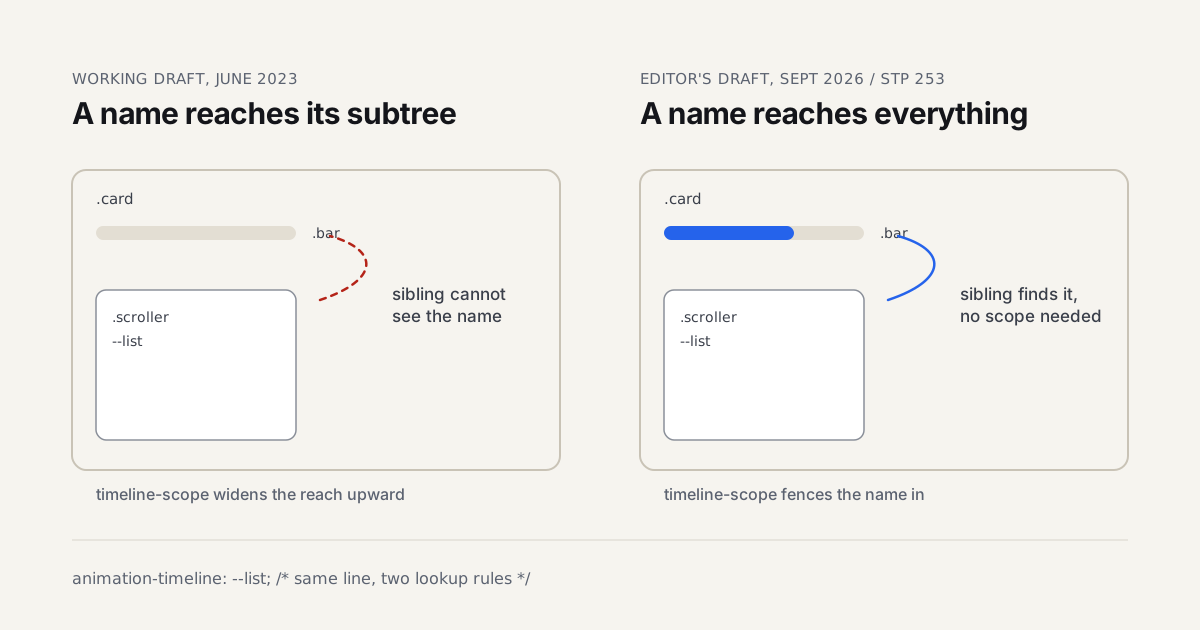
Safari Technology Preview CSS Animation Changes, 245-253
Safari Technology Preview 245 to 253 changed how named scroll timelines are...
Category · 27
Motion design is where timing, easing, and hierarchy turn a static screen into something that guides the eye. These guides cover the practical side, from web animation performance to After Effects workflows and the judgment calls about when motion helps and when it just gets in the way.
Motion design lives or dies on timing, and timing is the hardest thing to teach because it's mostly felt rather than measured. These articles dig into the mechanics that make movement read as intentional: easing curves that don't look robotic, the difference between anticipation and overshoot, and why a 200ms transition feels snappy on one screen and sluggish on another. We cover both the craft side, After Effects rigging, expressions, character animation fundamentals, and the applied web side, CSS and JavaScript animation performance, when to reach for the Web Animations API instead of a heavier library, and how to keep an interface animation from dropping frames on a mid-range phone.
A lot of what separates competent motion work from memorable motion work comes down to restraint: knowing which element in a scene should move and which should hold still so the eye has somewhere to land. We write about that judgment call directly, using real project breakdowns rather than generic principles lifted from a textbook. You'll find pieces on staging a UI transition so it clarifies hierarchy instead of just decorating it, building loading and skeleton states that feel purposeful rather than like an apology for slow data, and choosing between hand-keyed animation and physics-based spring systems depending on what the interaction actually needs to communicate.
Accessibility gets real space here too: prefers-reduced-motion isn't an afterthought in any article we publish, it's a constraint we design around from the first frame.
Editorial coverage of motion design for motion designers, art directors, and UI designers working with modern interface design. You'll find in-depth articles and step-by-step tutorials here. Each piece below was written by a working designer, peer-reviewed for accuracy, and links out to the primary source: the designer's portfolio, the original release notes, or the relevant studio site. We do not run sponsored articles or take payment for placement.
Newest articles appear first. Browse the 27 pieces below, or open the main archive for a full chronology across all categories. The designers index covers attributed work, and the styleframes gallery surfaces individual frames pulled from longer reels.
Safari Technology Preview CSS Animation Changes, 245-253
Safari Technology Preview 245 to 253 changed how named scroll timelines are...
Motion Graphics Production Workflow: Brief to Delivery
A repeatable eight-stage motion graphics pipeline from brief to delivery, with sign-offs,...
Remote Motion Design Collaboration: The Working Stack
The tool stack, async review protocol, naming convention and timezone rules that...
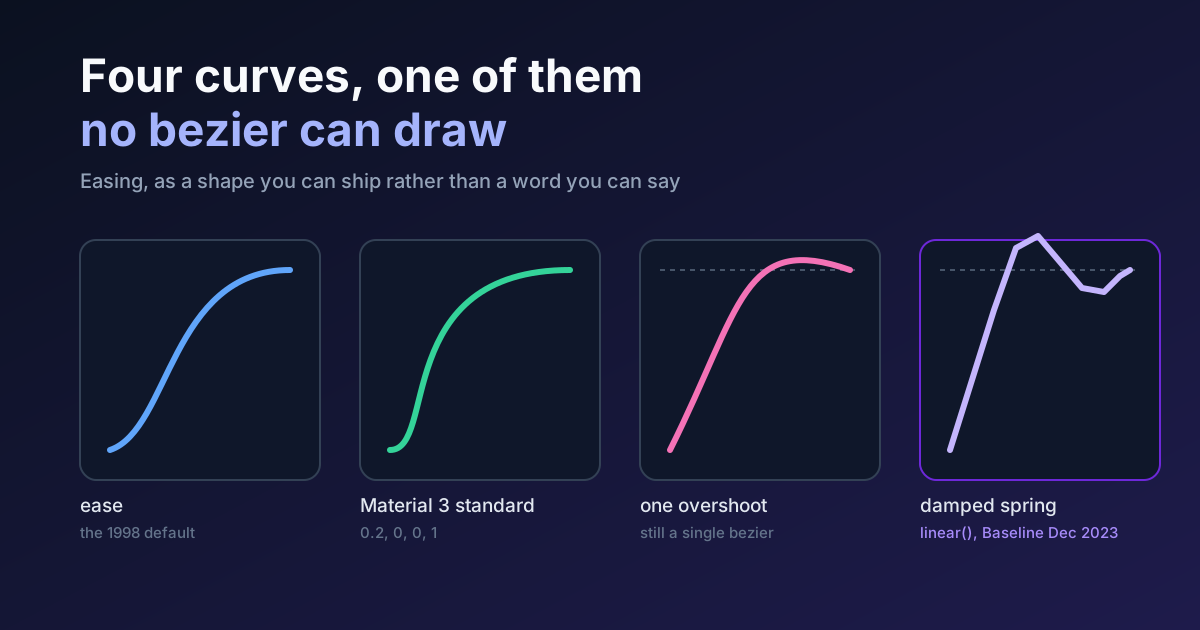
Easing Curves: The Shape, Not the Word, in Motion UI
What a cubic-bezier can and cannot draw, why linear() exists, what Material...
Safari Tech Preview 251 Ships CSS random() Support
Safari Technology Preview 251 added CSS random() and random-item(). Here is what...
Apple Intelligence Gradient in CSS: The Animated Glow
The conic-gradient and @property recipe behind the Apple Intelligence glow, with a...
Motion Work: When Blocking the Main Thread Is Fine
Never block the main thread is not a rule, it is a...
Styleframe AI: Where Generated Frames Help and Fail
AI reaches a styleframe faster than you can, then stalls. Where generated...
Styleframe Animation: From Approved Still Into Motion
A styleframe is approved and now it has to move. What an...
Chrome 150 for Motion Designers: What Actually Changed
Scroll-triggered CSS animations shipped in Chrome 146, not 145 or 150. Chrome...
Jitter vs After Effects 2026: Which Motion Tool Wins?
Jitter vs After Effects compared on real work: browser speed, Figma import,...
Motion Graphics in Product Design: The Complete Guide
What motion graphics means inside a product team, which principles carry over...
Style Frame Templates: The Free Brief and How to Use It
Style frame templates explained: how to structure a briefing document, run the...
Rive vs Cavalry in 2026: Which Motion Tool to Learn?
Rive vs Cavalry compared on real client work: state machines vs timelines,...
Styleframe Examples: What Great Ones Have in Common
Styleframe examples worth studying, and the shared traits that separate a frame...
Styleframe vs Mood Board: How They Differ and When to Use
Styleframe vs mood board explained: what each one is, how they differ,...
Figma Motion: Native Timeline Animation Guide 2026
Figma Motion adds native timeline and keyframe animation on the canvas, launched...
Framer Motion in 2026: A Designer's Guide for React
Framer Motion (now Motion) animates React UIs with layout, gesture, and exit...
What Is a Styleframe (Style Frame)? Meaning and Process
A styleframe, or style frame, is the one still that locks a...
Micro-interactions in UI: When to Animate and How Long
Micro-interactions in UI design: which moments deserve motion, duration ranges for common...
GSAP 2026 Release Notes: Free License, SplitText 3.13
GSAP release notes 2026: the license went fully free, SplitText got a...
Web Animation in 2026: CSS vs GSAP, When to Use Each
CSS handles 80% of web animation in 2026, GSAP wins for timeline...
Visual Hierarchy in Motion Graphics: 6 Key Lessons
How motion designers apply visual hierarchy in single styleframes - size, contrast,...
From Styleframe to Working UI: The Designer Pipeline
How motion designers move work from a single styleframe through animatics into...
Motion Design Tools: 5 Free After Effects Alternatives
Rive, Cavalry, Theatre.js and Lottie compared as free After Effects alternatives, plus...
Motion Design for Social Media: The Practical Guide
Platform specs, tool picks, and workflow tips for motion design on Instagram...
Motion Design for the Web: When and How to Apply It
Motion design for the web, practical CSS transitions, scroll-driven effects, micro-interactions, plus...