The styleframe-to-UI pipeline is the handoff path that carries a project's look and timing from a single approved styleframe, often generated with an AI workflow, through animatics, into shipped, responsive interface code. Done well, it stops the final build from drifting away from the design everyone signed off on.
The bridge between a static design and shipped UI motion is the part of the pipeline most teams skip documenting. The dull half of that bridge is layout: the dashboard grid generator turns the styleframe composition into columns a developer can actually build against. The motion designer assumes the UI designer knows. The UI designer assumes the motion designer reads the comment. Both ship something that drifts from intent. The styleframe-to-animation handoff documents the motion half of that bridge in detail.
Our designer profiles feature working motion directors who have this pipeline figured out. Andrea Braga's title sequence work, Guillaume Combeaud's broadcast spots, Duah Francis's brand motion, all required handoff from frame composition to motion realization. The teams that ship at that level have systematic pipelines. Most teams don't.
TL;DR: The motion-to-UI pipeline is five stages: styleframe, animatic, refined motion, export, implementation. Each stage transfers a different decision. Skipping a stage means the next stage makes the decision for you, usually badly.
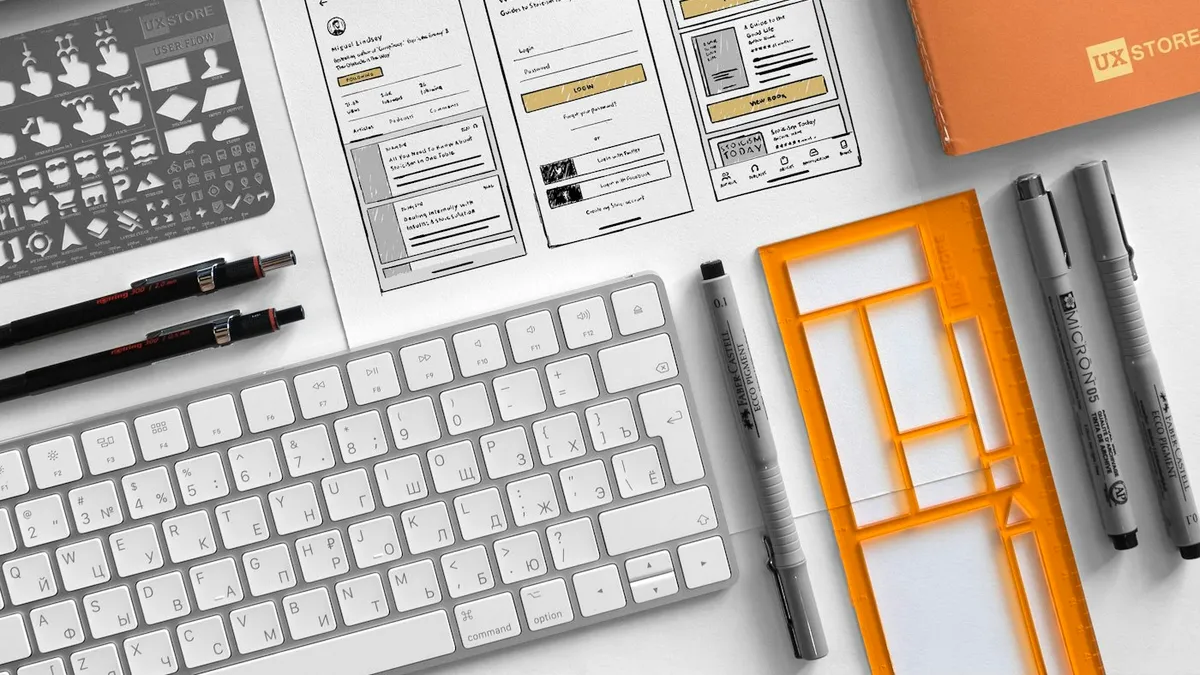
What Decisions Does Each Stage of the Pipeline Carry?
Five stages, five sets of decisions that get locked in at each one.
| Stage | Tools | Decisions Locked In |
|---|---|---|
| 1. Styleframe | Figma, Photoshop | Composition, color palette, typography, focal hierarchy |
| 2. Animatic | After Effects, with placeholders | Scene timing, beat structure, sequence order, rough pacing |
| 3. Refined motion | After Effects | Anticipation, overshoot, easing per element, follow-through |
| 4. Export | Bodymovin to Lottie JSON, or video master | File format, frame rate, asset bundling, expression compatibility |
| 5. Implementation | Lottie player, CSS, Motion One, GSAP | Trigger conditions, performance fallbacks, accessibility, responsive scaling |
Stage 1 - Styleframe (Figma, Photoshop). Decisions: composition, color palette, typography, focal hierarchy. What it doesn't carry: timing, easing, motion arcs, anticipation.
Stage 2 - Animatic (After Effects with placeholders). Decisions: scene timing, beat structure, sequence order, rough pacing. What it doesn't carry: motion polish, easing curves, frame-specific posing.
Stage 3 - Refined motion (After Effects). Decisions: anticipation, overshoot, easing per element, follow-through, color shifts in motion. What it doesn't carry: tech constraints from the implementation platform.
Stage 4 - Export. Tools: Bodymovin -> Lottie JSON, or video master. Decisions: file format, frame rate, asset bundling, expression compatibility. What it doesn't carry: integration semantics.
Stage 5 - Implementation. Tools: Lottie player, CSS, Motion One, GSAP. Decisions: trigger conditions, performance fallbacks, accessibility (reduced-motion), responsive scaling.
The pattern that matters: each stage carries a decision the previous stage couldn't make, and each stage assumes the previous stage's decisions are locked. If you go back two stages to change something, you redo everything after it.
For real examples of how a strong stage-1 styleframe pre-implies the entire motion arc, the Ant-Man concept frames by Ash Thorp and the Batman promotional frames both show how composition alone signals what's about to move. The Trisect brand film stills demonstrate the same principle for brand motion rather than narrative film.
Where Does the Pipeline Break Most Often?
Two recurring failure points, both fixable with discipline at the styleframe phase.
The first: styleframe-to-animatic. The designer builds a frame that's visually strong but doesn't pre-imply motion. The animator now has to invent motion language that wasn't in the design intent. The result feels stitched together. Fix: every styleframe should answer two questions, what is moving, what is staying still. A good styleframe shows both through composition (focal elements positioned where they'll resolve to, supporting elements positioned where they'll arrive from).
Every styleframe should answer two questions: what is moving, and what is staying still.
I have watched that first failure play out from both sides of it, and the tell is always the same review comment: someone asks the animator "where does this come in from?" and the frame has no answer, because nobody decided. The question costs ten seconds at the styleframe stage and a week after the animatic is cut.
The second: After-Effects-to-Lottie. Complex AE features don't export cleanly. Specifically: 3D layers, motion blur, time-remapping expressions, particle systems, and blend modes other than Normal/Multiply/Screen. A motion designer fluent in AE who isn't fluent in Lottie's subset ships an animation that previews correctly in AE and renders wrong in the browser. Fix: test the Lottie export at the styleframe phase. Set up a test animation with each effect you're considering and confirm it makes it through Bodymovin before designing the full sequence around it. My own rule is that the export test happens before the frame is shown to a client, not after, because once a look is approved the effect that will not survive Bodymovin has already become the thing everyone liked.

Which Tools Make Each Stage Cleaner?
The tool decisions cascade. Pick your styleframe tool and you're partially locking in your animatic and refined-motion tools.
Figma + After Effects (most common). Figma exports SVG and PNG; After Effects imports both. The handoff is well-documented but lossy on complex effects. Use this for broadcast-quality work and longer sequences.
Figma + Cavalry (web-first). Cavalry is vector-native, runs in the browser, and exports to Lottie cleanly. The learning curve is shorter than After Effects. Use this when the final delivery is web animation and you don't need After Effects's particle/expression depth.
Figma + Motion One / GSAP (no animation tool). For UI micro-interactions and page transitions, you don't need an animation tool at all. Specify motion intent in a Figma comment thread or in a Notion doc, then implement directly in JS. Use this for hover states, modal entries, scroll-driven content, and other UI-native motion. The motion design for web guide covers this in more depth.
Figma + Rive (interactive motion). Rive's state machine model fits interactive UI animations, toggle states, loading indicators, characters that react to user input. The learning curve sits between Cavalry and After Effects. Use this when motion needs to respond to runtime conditions.
How Should UI Designers Handle Motion Handoff?
If you're the UI designer working with a motion designer, specify motion intent in three layers:
Layer 1, Reference. Link to an existing piece of motion that captures the feel you want. "Like the modal entry in Linear" is more useful than "smooth and fast". Three reference clips are better than a paragraph description.
Layer 2, Anchor points. State where in the screen the motion starts and ends. "Card enters from below the fold, settles at the original position, with overshoot of 8 pixels then return." This eliminates ambiguity.
Layer 3, Constraints. State what cannot happen. "No motion above 400ms duration." "Must respect prefers-reduced-motion." "Cannot use 3D transforms (legacy device support)." Constraints make the motion designer's decisions faster, not slower.
The pipeline from styleframe to working UI is the part of design work that doesn't show up in portfolios but shows up in every shipped product. The teams that have systematic pipelines ship better motion. The teams that don't ship motion that drifted from intent. So why does one team ship the intended feel and the other ship something close but slightly off? The fix is process, not talent.
For a deeper look at the toolchain decisions involved in this pipeline, see Motion Design Tools for UI Designers and the broader motion-design category. When the visual work is done and it's time to ship, the designer to developer handoff playbook keeps the specs from getting lost. To brief the whole pipeline before you start, our free styleframe brief template gives you a printable one-page structure, and real styleframe examples show what a frame worth committing to actually looks like before you get that far.