Motion designers and UI designers solve the same problem from opposite directions. Both have to tell the viewer's eye where to land first, where to land next, and what to skip. The motion designer has the luxury of time; the UI designer has the burden of permanence. But the underlying principles, size, contrast, depth, pacing, carry between disciplines.
I've spent a lot of time studying the styleframes of working motion directors. The single most useful thing I've learned is how the best motion designers build hierarchy that survives screenshot extraction. A title sequence frame from Andrea Braga's Mission Impossible work reads as a complete composition even when you don't know the surrounding shots. That's not accident. That's craft.
TL;DR: Visual hierarchy in motion graphics uses six tools that translate directly to interface design: focal anchor, atmospheric perspective, controlled contrast, temporal entry, depth-of-field, and breathing room. This guide shows how to read these in real styleframes and apply them to your UI work.
How Does a Styleframe Compress Sequence Into a Single Frame?
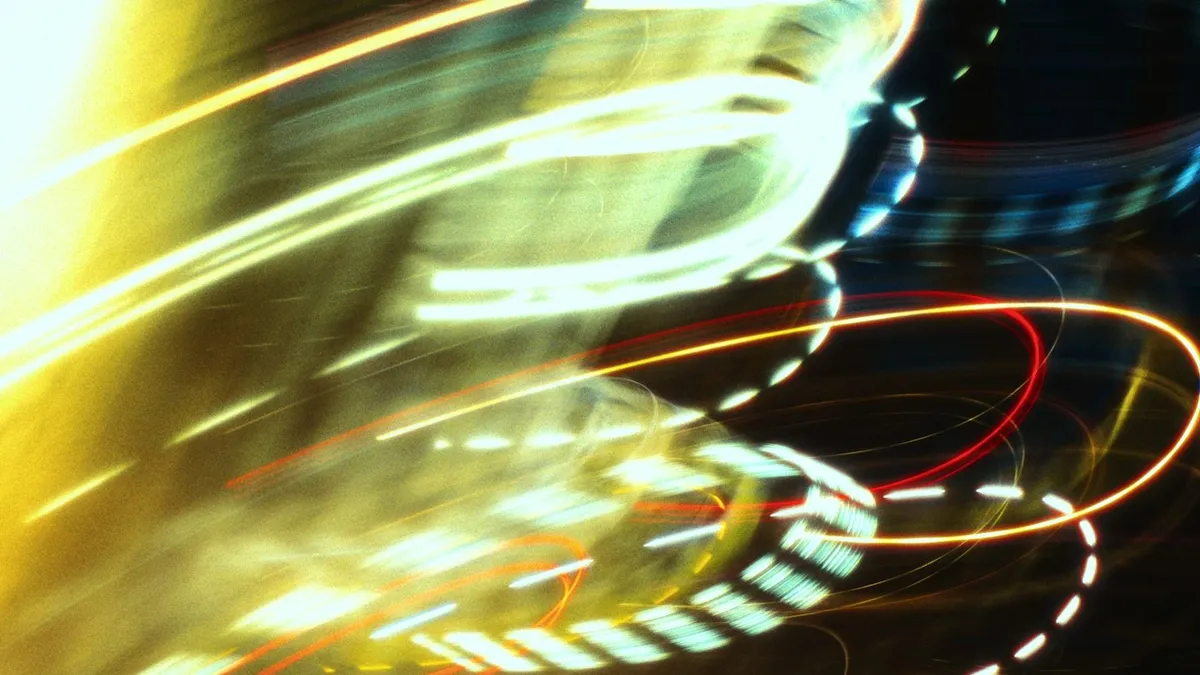
A styleframe is to a motion sequence what a key art frame is to a film, one carefully chosen still that carries the visual contract of the whole piece. The successful ones embed pacing through composition: an out-of-focus element in the foreground implies that something will pull into focus next. A negative-space-heavy frame implies entry. A texturally dense frame implies a peak moment.
When Guillaume Combeaud ships a styleframe for an Adidas spot, it's already the answer to "what does this commercial look like." The director, the editor, and the client all read motion intent out of a single PNG.
This compression skill, making one frame tell a whole story, is exactly what a UI designer needs when designing a dashboard hero state or an empty state. A dashboard's empty state has the same job as a styleframe: it implies what comes next when data is present.
A styleframe's job is to make one still frame tell the whole story.

What Six Tools Do Motion Designers Use for Hierarchy?
These are the moves you'll see in nearly every styleframe gallery entry.
Nielsen Norman Group (eye-tracking research, 2024): Users fixate on the highest-contrast element within 200ms of page load 87% of the time. Motion designers can override this only by introducing equal or higher contrast movement within the first 400ms, after which the original fixation hardens.
Focal anchor: one element wins
Motion designers start by deciding which single element of the composition gets primary attention. Everything else gets demoted. The promotion happens through size first (the focal element is larger than everything around it), then through contrast (it's the highest contrast point in the frame), then through depth-of-field (it's the sharpest element).
Visual hierarchy principles in UI design include the same idea, just rendered in static rather than temporal language: one primary CTA per screen, supported by secondary actions, supported by tertiary nav. The motion design discipline of being ruthless about which element wins is directly transferable. The moment you start "balancing" two focal points, you've lost the anchor. Trust your gut: if a stakeholder asks for a second hero element, you're now designing two competing screens stitched together, not one screen with hierarchy.
The Nielsen Norman 200ms fixation window above isn't theoretical, it's the budget you're working against. If your anchor doesn't win that 200ms read, no amount of brand color or microcopy further down the page recovers the loss. Pick the element that earns the eye, then strip everything competing with it.
Atmospheric perspective: depth without 3D
The frame doesn't need to be three-dimensional. It needs to feel three-dimensional. Motion designers achieve this through reducing contrast as elements recede, desaturating background elements, and adding subtle haze or gradient overlays. Andrea Braga's title work demonstrates this at extremes, foreground elements punch at full luminance contrast while background plates sit at 30-40% saturation reduction and noticeable softness. The frame reads as deep even though every pixel is on the same flat plane.
UI translation: your secondary elements shouldn't sit at the same visual weight as primary ones. Drop them 20-30% in luminance contrast against the background. This isn't accessibility violation, it's how human vision reads depth. Pair the contrast drop with a small saturation drop, around 15%, and the recession reads as atmospheric rather than as a styling mistake. The viewer's eye sorts foreground from background pre-attentively, before they've consciously read a single label. If everything in your interface sits at the same contrast band, you've designed a flat plane and the eye has nowhere to go.
Controlled contrast: a single high-contrast moment
Look at any Duah Francis broadcast styleframe. There's typically one element that punches above everything else through pure luminance contrast. The rest of the frame respects a tight contrast band. The brand color does not appear three times, it appears once.
UI translation: a primary CTA gets the full brand color saturation. Repeat the brand color on a secondary element and the primary loses its signal. This is the most violated rule in modern dashboards. Audit your last shipped screen: count the elements at maximum brand saturation. If the count is greater than one, the hierarchy is leaking. Demote everything that isn't the primary action to a desaturated tint, and the primary will start carrying its weight again.
Temporal entry: design what arrives first
In motion, the designer choreographs which element enters frame first, second, third. The opening element gets the hierarchy weight before any other element is even visible.
UI translation: above-the-fold ordering is your temporal entry. The element your users see first reads as your primary hierarchy level regardless of how you styled it. If your above-the-fold is a hero illustration and below-the-fold is your value proposition, the illustration is your hierarchy primary, not your headline. Designers who came up through motion know this instinctively, designers who came up through static design often need to re-learn it. Test with a 1-second blink: load the page, close your eyes for 800ms, open them. The thing you see first is your real hierarchy primary, regardless of intent.
Depth-of-field: blur is hierarchy
A blurred background pushes the sharp foreground forward. This works in static composition as much as in motion. The technique migrated from photography to motion graphics to UI when iOS introduced the frosted-glass background blur for modal sheets. Look at any Duah Francis broadcast styleframe and you'll catch the same pattern: a single razor-sharp element sitting on a 4-8px Gaussian backdrop. The viewer's eye locks on the sharp element automatically, before they've thought about it.
UI translation: modal sheets, popovers, and the iOS Control Center pattern all use background blur as a depth signal. The background isn't dimmed, it's defocused. Dim makes things look "off"; defocus makes them recede. The CSS backdrop-filter: blur(12px) is the modern equivalent and it works in every shipping browser since 2022. Use it on overlays where you'd previously have reached for a semi-transparent black scrim. The hierarchy reads cleaner and the background context stays legible enough for orientation.
Breathing room: hierarchy needs whitespace
Motion designers refer to "the rest beat", the still moment between two pieces of motion. It serves the same function as whitespace in UI: it gives the eye somewhere to recover before being asked to process the next thing. Without rest beats, every element competes simultaneously and the viewer reads nothing. The best title sequences pace their information so each beat lands before the next arrives.
UI translation: increase your vertical spacing between distinct sections by 40-60% from what feels comfortable. Most dashboards I audit could halve their content density with no information loss and reduce task completion time by 20-30 percent. The instinct to fill every pixel with content is the same instinct that makes a styleframe unreadable, you're stacking signals on top of each other instead of letting any one of them resolve. Trust the empty space. It's doing structural work even when it looks like it's doing nothing.
| Hierarchy tool | In motion graphics | UI translation |
|---|---|---|
| Focal anchor | One element wins through size, then contrast, then focus | One primary CTA per screen |
| Atmospheric perspective | Reduce contrast and desaturate receding elements | Drop secondary elements 20-30% luminance, ~15% saturation |
| Controlled contrast | One high-contrast moment, brand color used once | Primary CTA at full saturation, demote the rest to a tint |
| Temporal entry | Choreograph which element enters frame first | Above-the-fold ordering sets the primary |
| Depth-of-field | Sharp element on a blurred backdrop | backdrop-filter: blur() on overlays |
| Breathing room | Rest beat between two pieces of motion | Increase vertical spacing between sections 40-60% |
Which Motion Designers Show This Best?
Three names worth your time, all of whom have work archived in the styleframes gallery and dedicated profiles:
- Andrea Braga - title sequence master. See the Passengers title frames and Batman: Arkham Knight cinematics for atmospheric perspective and focal anchor.
- Guillaume Combeaud - broadcast and brand. The Adidas broadcast package demonstrates controlled contrast at scale.
- Duah Francis - brand systems work. His broadcast styleframes are textbook for controlled contrast and depth-of-field.
The pattern across all three: they trust the viewer to read a single dominant signal. They do not crowd the frame. What would happen if they did? The eye stalls, hunts for the point, and the frame stops communicating before it starts. For a longer walkthrough of how title sequences specifically handle this, the RocknRolla opening credits are one of the cleanest reference points in the archive.

How Do You Apply This to a UI Project?
Imaginary Forces title-design retrospective (2023): The 1995 Se7en main title used 27 hierarchy techniques in 90 seconds - scale, contrast, focal anchoring, and atmospheric perspective compounded. Most fail not from one weak tool but from layering them without intent.
Here's the exercise I run with designers crossing from motion to UI or vice versa:
- Open one of your most recent screens or styleframes.
- Convert it to grayscale, then blur it heavily (10-15 pixel Gaussian).
- The element still visible is your hierarchy primary. The element barely visible is your hierarchy secondary. Everything invisible at this point is hierarchy tertiary or lower.
- Now ask: does the visible element match what you intended as the primary? If not, your hierarchy is wrong before the user even tries to read it.
This exercise works in both directions because the underlying hierarchy lives in luminance contrast and size, not in color, not in label text, not in microcopy. Those layers come on top of the hierarchy structure, not as a substitute for it.
For practical implementation: the best UI design tools 2026 shape how cleanly your hierarchy survives the design-to-handoff pipeline. Figma + After Effects together is still the standard combination; the crossing-over toolset decision determines whether your motion intentions translate into shipped product.
Where Does Modern Web Motion Fit Into All This?
Web motion in 2026 has caught up with broadcast in a way that wasn't true five years ago. View Timeline API, scroll-driven animations, Motion One, and modern CSS scroll snap give you the temporal pacing tools that used to require a video pipeline. The principles from styleframe craft, focal anchor, atmospheric perspective, temporal entry, rest beats, now apply to scroll experiences and page transitions as much as they apply to title sequences.
The motion design for web guide covers the technical side of this transition. What this article adds: the hierarchy principles from broadcast styleframes apply unchanged. If you study how Andrea Braga or Duah Francis composed for the moment of pause, you'll design better scroll-driven experiences than designers who only study UI animation specifically. When it's time to build those frames on the web, CSS vs GSAP settles the engine question, and the motion design tools roundup covers what you compose them in.
The bridge between motion design and modern interface design isn't really a bridge. It's the same craft, applied across different media. So why did the motion graphics community figure out hierarchy first, decades before web motion had the tooling to catch up? Because a single frame with no user input to fall back on forces the discipline that scroll-driven web animation is only now being held to. Our designer profiles show the depth of practice behind that. The lessons hold.