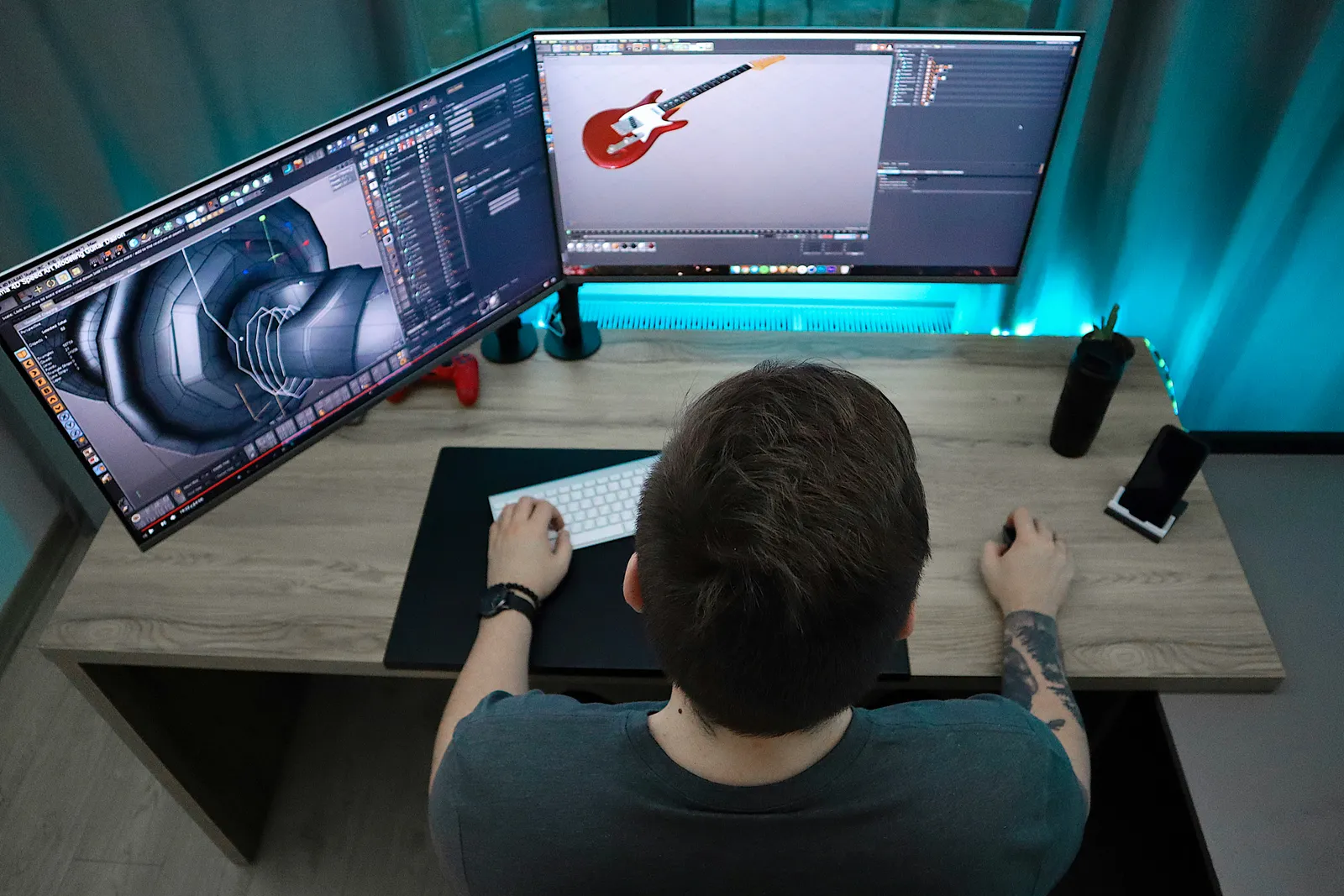
Two years ago I watched a 40 second product animation get rebuilt from scratch three weeks before launch. Not because it was bad. It was lovely. The client had approved a mood board, skipped styleframes because the deadline was tight, then saw the finished piece and said the palette felt "too corporate." Every shot had been lit and rendered in that palette. Three weeks of Cinema 4D and After Effects work went in the bin, and the studio ate the cost.
That project is why I now refuse to animate anything that hasn't passed through a fixed sequence of gates. Not a vibe. A sequence.
TL;DR: A motion graphics production workflow runs through eight named stages: brief, script and boards, styleframes, animatic, animation, sound, review rounds, and delivery. Each stage takes a defined input, produces a defined output, and gets signed off before the next one starts. The styleframe gate is the one that saves the most money, because it's the last cheap moment to change how the piece looks.
What Does an End-to-End Motion Graphics Workflow Actually Contain?
A complete motion graphics production workflow is a linear chain of eight stages where each one converts an approved artefact into the next, more expensive artefact. Brief becomes script, script becomes boards, boards become styleframes, and only then does anyone open a timeline in earnest. Cost rises steeply at each step, so every decision gets made at the cheapest stage capable of making it.
Why so rigid? Because in motion, "just tweak it" almost never means a tweak. Changing a colour on a static layout is a click. Changing it on a rendered 3D sequence means re-rendering 900 frames at 4K, which on one workstation is an overnight job. The pipeline moves the cheap arguments to the front.
The sequence, with the durations I plan for on a 60 to 90 second explainer with a two-person team:
- Brief and discovery (3 to 5 working days)
- Script and storyboards (4 to 6 days)
- Styleframes (3 to 5 days)
- Animatic (2 to 3 days)
- Animation (10 to 15 days)
- Sound design and mix (3 to 4 days)
- Review rounds (folded into stages 2 through 6, but budgeted as 5 days total)
- Delivery and export (1 to 2 days)
Six to seven weeks. If somebody quotes you three, ask which stages they're skipping. I'd argue a two-week explainer isn't a fast project, it's an unfinished one that ships anyway.
Stage 1: Brief and Discovery
The brief stage turns a client's request into a written document that names the audience, the single message, the duration, the deliverables and the deadline, and it ends when the client signs that document. Nothing visual happens here. If a designer is sketching during discovery, the discovery isn't finished.
What enters: an email, a call, a deck. What leaves: a one to two page brief naming the target platform (a 9:16 Reel and a 16:9 conference screen are different projects), the tone in three adjectives, the mandatory elements and what's out of scope.
Who signs off: the client's decision maker, by name. Not "the marketing team." The person who approves the brief must approve the styleframes too, or the gate model collapses. How long: three to five working days, most of it waiting. Our styleframe brief template forces out the questions that otherwise arrive as feedback in week five.
Stage 2: Script and Storyboards
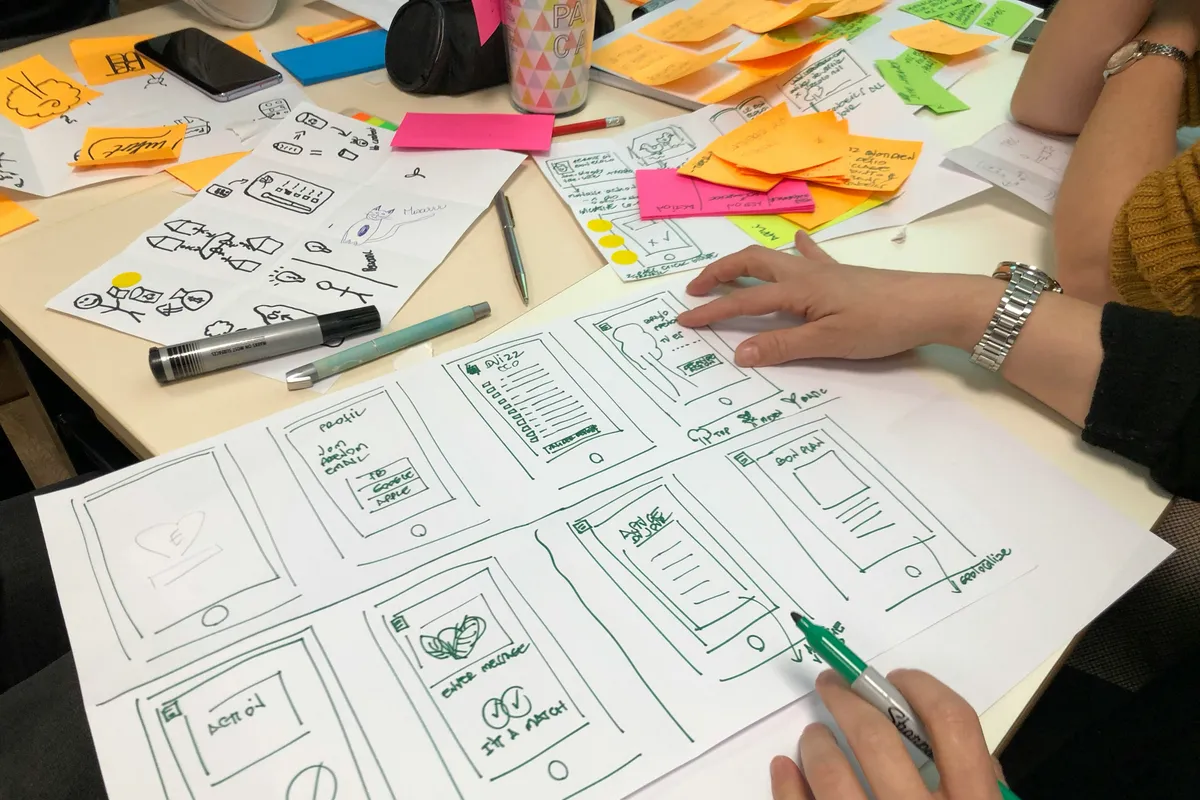
The script and storyboard stage produces two linked documents: a timed script whose word count fits the duration, and a shot-by-shot storyboard where every panel ties to a script line. Together they answer "what happens" without answering "what does it look like."
The arithmetic matters. Natural voiceover runs at roughly 140 to 160 words per minute, so a 60 second piece gets 140 to 160 words. Not 220. An overlong script is the most common reason animation runs over: the animator rushes every shot, or the piece grows to 80 seconds and the client wonders why.
Boards can be ugly. Mine are grey boxes with arrows in Figma, because a pretty board gets mistaken for a styleframe and critiqued for its colour. Twelve to twenty panels per minute is typical.
What leaves: script and boards, both approved in writing. Who signs off: the client, plus the voice producer if voice is external, because a script change after the record is a new session fee, roughly $300 to $800 in my experience. How long: four to six days.
Stage 3: Styleframes
A styleframe is a single still, finished to final render quality, that shows exactly how one moment of the piece will look, and its approval locks the visual language for everything downstream. This is the stage that gets skipped under deadline pressure, and its absence caused the rebuild I opened with. A styleframe is the last approval point that costs hours rather than days to act on.
Three frames is the usual count: opening state, busiest mid-piece shot, end card. More than five means the art direction hasn't settled. Our styleframe design guide covers how to build one, and styleframe vs mood board explains why a mood board can't do this job: it shows influences, a styleframe shows the answer.
What enters: approved boards, the brand kit, client references. What leaves: two to three frames at delivery resolution, plus a one-line note per frame on what will move. Who signs off: the decision maker from Stage 1. How long: three to five days for 2D, closer to a week with a 3D look to light.
One rule some directors disagree with: styleframes get built in the render pipeline, not mocked up in Photoshop. If the final is After Effects 2026 with a specific plugin stack, the frame comes out of that stack. Painted lighting approves a look the animation tool then has to fake, and the styleframe to animation handoff is where that fake gets discovered.
Stage 4: Animatic
An animatic is the storyboard cut to the recorded (or scratch) voiceover at real duration, so every panel holds exactly as long as its shot will in the finished piece. It approves timing and pacing, and once signed off, shot durations are locked.
Two to three days, and it protects more than any other stage. A client watching an animatic says "that section drags," and the fix is dragging a still two seconds left. The same note during animation means re-timing keyframes across a dozen layers, re-rendering, and possibly a VO re-record.
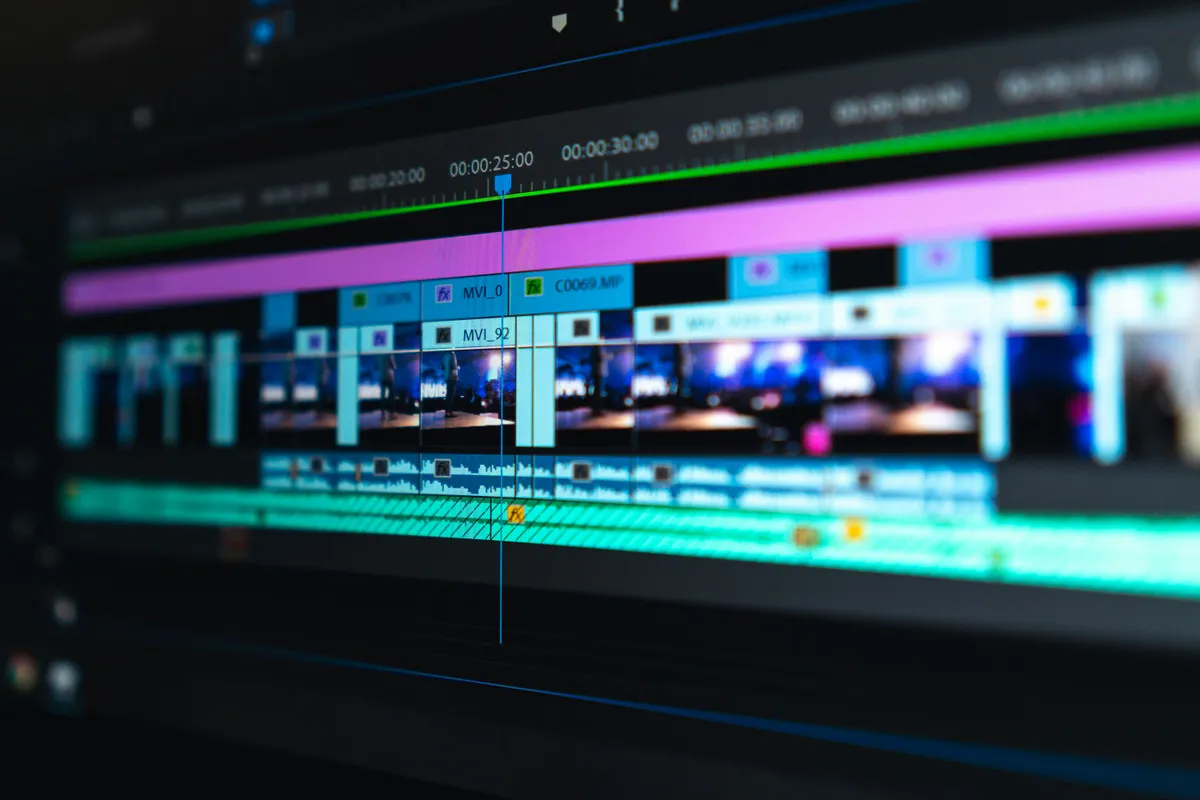
I build animatics in Premiere Pro or DaVinci Resolve 20 rather than After Effects, because an NLE makes slipping a panel trivial. Scratch VO on a laptop mic is fine here; the real session then happens once, against a locked script.
What enters: boards, script, styleframes as colour reference on key shots. What leaves: a 1080p H.264 with burnt-in timecode and shot numbers. Who signs off: the client for pacing, the sound designer for beat structure. Do you really need sign-off on grey boxes? Yes. Every time.
Stage 5: Animation
The animation stage rebuilds the approved styleframes as layered compositions and animates every shot to the durations the animatic locked, producing a picture-locked render without final sound. It's the longest stage and where the earlier gates pay out: if the previous four were signed off, the animator should receive no note here that isn't about motion.
Ten to fifteen working days for a minute of 2D with one animator, or one day per five seconds, padded rather than promised. 3D runs longer and estimates worse. Our motion graphics for product design guide shows where those days go on a UI-focused piece.
Internally, animation runs in three passes: blocking (linear easing, no polish), timing and easing, then finish. The client sees a one-shot "motion test" from blocking and then the full picture lock. Never the middle pass. A half-eased shot shown to a non-animator invites notes about things already on the list.
What leaves: a picture-locked render with scratch or final VO and no music. Who signs off: the client on picture, the art director on fidelity to the styleframes.
Stage 6: Sound Design and Mix
Sound design layers music, voiceover, effects and a final mix onto the picture-locked render, and it starts only after picture lock because every cue is placed against a specific frame. Move a shot after the mix and the whoosh lands on the wrong cut. Three to four days for a minute of content.
What enters: the locked picture as ProRes 422 (the designer needs frame-accurate scrubbing), the final VO as 48 kHz 24-bit WAV, the licensed track. What leaves: a stereo mix and, if briefed, split stems (VO, music, SFX) so a localisation team can swap the voice later. Who signs off: the client, and the animator too, because sound reveals timing problems invisible in silence. A hit landing eight frames early says the animation is late, not that the sound is wrong.
Stage 7: Review Rounds
The review model I run is two rounds per stage, fixed in the contract, where round one is open feedback and round two is restricted to polishing what round one produced. Every gate locks a layer: brief locks scope, script locks words, boards lock structure, styleframes lock look, animatic locks timing, picture lock locks motion. Feedback against a locked layer gets priced as a change request, not absorbed.
The table I paste into proposals:
| Gate | Round 1 may change | Round 2 may change | Locked after approval |
|---|---|---|---|
| Brief | Anything | Wording, scope edges | Duration, platform, message, deliverables |
| Script and boards | Structure, order, copy | Copy, panel detail | Shot list, word count |
| Styleframes | Palette, type, texture, composition | Detail and finish | Visual language, palette, type system |
| Animatic | Shot durations, order | Durations by under 1 second | Timing, cut points |
| Picture lock | Motion, easing, secondary animation | Easing and polish | Everything visual |
| Mix | Levels, cue placement, music choice | Levels | Everything |
Is two rounds enough? With one named decision maker, in my experience, yes. For a committee no number would be, which is why the named approver in Stage 1 is the load-bearing wall of the model.
Feedback comes through a frame-accurate review tool, Frame.io in my case, never email with hand-typed timestamps. "The bit around 0:34" has cost me more hours than any other four words. One thread per round, and the round closes when the approver writes "approved" in it. Distributed teams add turnaround windows and time zones to the same rule, and the remote motion design collaboration stack writes those down.
Stage 8: Delivery and Export
Delivery packages the approved mix and picture into every format the brief named, plus a master nobody asked for but everyone eventually needs, and it ends when the client confirms receipt of a specific file list. One to two days, mostly render time and checking. My default spec:
| Deliverable | Codec / container | Resolution | Colour space | Goes to |
|---|---|---|---|---|
| Master | Apple ProRes 422 HQ / .mov | Native (1920x1080 or 3840x2160) | Rec. 709, 16-235 video levels | Client archive, agency editors |
| Web 16:9 | H.264 High profile / .mp4, 12 to 20 Mbps at 1080p | 1920x1080 | Rec. 709 | YouTube, Vimeo, website CMS |
| Social 9:16 | H.264 / .mp4 | 1080x1920 | Rec. 709 | Reels, TikTok, Shorts |
| Social 1:1 | H.264 / .mp4 | 1080x1080 | Rec. 709 | LinkedIn, Instagram feed |
| Alpha version (if briefed) | ProRes 4444 / .mov with straight alpha | Native | Rec. 709 | Client's own editors, event playback |
| Stems | 48 kHz 24-bit WAV, one file per stem | n/a | n/a | Localisation, broadcast |
| Stills | PNG, 3 to 5 frames | Native | sRGB | Thumbnails, press, case study |
Two traps. ProRes 422 HQ at 1080p runs about 1.3 GB per minute, so the master goes on a shared drive, not in an email. And many client-side players show full-range 0-255 levels as crushed blacks, so export video levels and check the master on a second monitor. A motion design for web piece is different again: the deliverable might be a Lottie JSON rather than a video at all.
Which Software Belongs at Which Stage?
Software choice follows hand-offs, not feature lists. Every stage ends in a file the next one has to open, so the useful question is what crosses the line.
| Stage | What most studios open | What crosses to the next stage |
|---|---|---|
| 3. Styleframes | Photoshop or Illustrator for flat frames, Cinema 4D plus a compositing app when the final is 3D | A frame built in the render pipeline, per the rule above |
| 4. Animatic | Premiere Pro or DaVinci Resolve | Timed picture with scratch voice-over |
| 5. Animation | After Effects, with Cinema 4D for 3D | Master compositions and the render queue |
| 8. Delivery | The After Effects render queue | The codecs in the table above |
One hand-off deserves its name. Cineware lets After Effects import a Cinema 4D .c4d file directly, with no intermediate render, using the Cinema 4D render engine that installs alongside After Effects. Live Link then keeps the timelines of the two applications in step while you move between them. The practical effect is that a 3D scene stays a scene until delivery, instead of being baked into an image sequence a week before anyone is ready to approve it.
Past delivery, the web turns one animation into three different artifacts, and the brief has to pick which one at stage 1. A flat promo leaves as the H.264 file in the table. Vector interface motion leaves as Lottie, and the dotLottie package, in its maintainers' words, bundles animations, assets, themes and interactive state machines into one compressed file; the export side is compared in Jitter vs After Effects. Motion that has to react to input, a toggle that answers a hover or a progress state, is a runtime's job. Rive's web runtime plays .riv files with state machines on WebAssembly, drawing through WebGL2 or Canvas2D, and Rive vs Cavalry covers when to learn it. Motion tied to the page itself, a headline that reveals as it enters the viewport, is plain CSS: animation-timeline works in Chrome and Edge and arrived in Safari with version 26.0, and the support section of our Chrome 150 motion breakdown tracks the rest.
Why decide at the brief? Because the formats don't convert upward. A character built as video frames can't become a state machine afterwards, and a Lottie file plays but doesn't listen. Asking "where does this live on the web?" in the first meeting costs a minute. Asking it at export costs a rebuild.
How Long Does Moving Type Need to Stay on Screen?
Moving type needs three checks before picture lock: it holds long enough to be read at a subtitle reading rate, it sits inside the graphics-safe margin, and it never competes with a second block of text for the same second of attention. All three belong in the animatic review, because that's where shot durations lock. A title that flashes past too fast is a timing defect, and after Stage 4 timing costs keyframes.
Reading speed is the one people guess at, and it doesn't need guessing. Subtitlers publish it. Netflix's English (USA) timed text guide allows up to 20 characters per second for adult programs and 17 for children's, with 42 characters per line and a single event lasting between 5/6 of a second and 7 seconds (Netflix Partner Help Center). Those are ceilings for a viewer who expects to read, watching text that doesn't move. Kinetic type is competing with motion, colour and music at the same moment.
So run the numbers against the harder case. A typical lower third, a name plus a job title plus a company, is around 45 characters. At 20 characters per second it needs 2.25 seconds of stillness after it lands, and the animate-on doesn't count toward that. I'd budget at 15 characters per second for anything that keeps drifting while it holds, which puts the same lower third at 3 seconds. Does that feel slow in the edit? Almost always. It stops feeling slow the first time you watch it cold.
Placement comes next. EBU R 95 sets the graphics-safe area at 5% in from every edge and action-safe at 3.5% (EBU R 95). On a 1920x1080 frame that keeps type 96 pixels from the sides and 54 from the top and bottom, a live area of 1728x972. Modern TVs rarely overscan, but the margin still earns its place: phones crop, event projectors eat edges, and social apps lay buttons over the bottom of a 9:16 frame.
That live area also makes a clean compositional grid. Twelve columns of 122 pixels with 24-pixel gutters fill 1728 pixels exactly, and locking type and key shapes to those column lines in the styleframe stage gives the animator something to move between, rather than arbitrary positions that drift shot to shot.
| Check | Working rule | Where it's decided |
|---|---|---|
| Hold time | characters divided by 15 to 20, in seconds, after the move ends | Animatic |
| Line length | 42 characters or fewer per line | Script and boards |
| Safe margin | 5% of width and height per side (96 x 54 px at 1080p) | Styleframes |
| Competing text | one block to read per moment | Boards |
| Web autoplay loops | a pause control if it runs past 5 seconds | Delivery spec |
That last row matters once the piece leaves broadcast. WCAG 2.2 success criterion 2.2.2, at Level A, requires a way to pause, stop or hide moving content that starts automatically, lasts more than five seconds and sits alongside other content (W3C). A looping kinetic headline on a landing page qualifies, so the delivery spec should name the pause button as a deliverable, not leave it to whoever embeds the file. The kinetic typography for the web guide covers the other half, honouring reduced-motion settings in CSS.
How Should the Project Folder and Files Be Named?
A working folder structure is numbered so it sorts in pipeline order, named so a stranger can find the approved master in under a minute, and identical on every project. Mine, unchanged since roughly 2021:
2026-09_ACME_ProductLaunch_60s/
  00_Admin/            brief, contract, invoices, approval emails as PDF
  01_Brief/            ACME_Brief_v02_APPROVED.pdf
  02_Script_Boards/    ACME_Script_v03_APPROVED.docx, ACME_Boards_v02_APPROVED.pdf
  03_Styleframes/      ACME_SF01_Opening_v02_APPROVED.png, ACME_SF02_Mid_v03_APPROVED.png
  04_Animatic/         ACME_Animatic_v02_APPROVED.mp4
  05_Animation/
    AE/                ACME_Main_v01_WIP.aep ... ACME_Main_v04.aep
    Assets/            Illustrator, Figma exports, textures, fonts (licensed)
    Renders/           ACME_PictureLock_v02.mov
    Precomps/          exported precomps and cache handoffs
  06_Audio/            VO/, Music/, SFX/, Mix/ (ACME_Mix_v02_APPROVED.wav + stems)
  07_Review/           one subfolder per round: R1_2026-10-02/, R2_2026-10-06/
  08_Delivery/         ACME_60s_MASTER_ProRes422HQ_1080p.mov, ACME_60s_WEB_1080p.mp4, ...
  99_Archive/          anything superseded, never deleted, never referenced
Files follow Client_Asset_vNN[_WIP|_APPROVED].ext. The date prefix is the start month, because sorting by client name puts a 2019 job next to a 2026 one. Fonts sit in the project with their licence PDF, because the 15 second cutdown request arrives eighteen months later.
What Are the Rules for Version Numbers?
A version number increments when a file leaves your machine for someone else's review, and never for any other reason. Internal saves keep the current number with a _WIP suffix and are overwritten freely. An approved version is duplicated, renamed _APPROVED, and never touched again.
Written as rules, since it falls apart the moment someone freelances on it:
v01is the first file anyone outside the team sees. There is nov00._WIPmeans "nobody but me has seen this." Overwrite it freely.- Sending a file for review strips
_WIPand freezes that exact file. Any edit startsv02_WIP. - Approval creates a copy with
_APPROVED. The un-suffixed version stays, so review-thread links keep working. - Never
_final,_final2,_FINALfinal. If you've typed the third one, you know why. - The .aep follows the same numbering as its renders, so
ACME_Main_v03.aepproducedACME_PictureLock_v03.mov. When the client says "v03 had the better easing on shot 7," you open exactly that file.
Boring on purpose. Version control in motion work isn't git, it's a naming discipline plus a refusal to edit anything a human has already looked at. The designer to developer handoff has the same problem in a different costume and the same fix: a frozen artefact with a name, not a live file with good intentions.
The Pipeline Is the Product
Storyboards, styleframes and animatics cut rework because each lets the client reject something while it's still cheap. The client who would have said "too corporate" at picture lock says it at the styleframe, and the fix is an afternoon of colour, not three weeks of re-rendering. From my own projects, not a study: on jobs where we skipped styleframes, animation-stage change requests roughly tripled. Approvals also get faster, because a client who has watched the piece grow through three frames and an animatic recognises it at picture lock instead of meeting it for the first time.
So here's the position I'll defend against anyone who says process is the enemy of creativity: in motion graphics the pipeline isn't overhead on the creative work, it is most of the creative work. What the piece says, how it's paced, what it looks like, all of that gets decided in stages one through four. Animation, for all its craft, executes decisions already taken.
Studios that resist this call it flexibility. What it actually delivers is animators redoing week-three work in week six, and clients who got one real look at the thing before it shipped. That isn't flexibility. It's paying for the pipeline anyway, in the most expensive stage, with the least time left.
Build the styleframe. Cut the animatic. Lock the gates and write them into the contract. The piece will be better, and you'll still have the weekend.