I once watched a three-second logo sting take eleven days to approve. Not because the animation was wrong. The client's creative director left a voice note on WhatsApp saying "the second bounce feels heavy", the animator in Lisbon interpreted that as the ease-out on the scale keyframe, the producer in Chicago thought it meant the drop shadow, and nobody had a frame number. Three rounds went by, each one a re-render and a re-upload to a Drive folder called FINAL_v3_really. When we finally got the client into Frame.io and asked her to click the frame she meant, it took her forty seconds. The bounce was fine. She didn't like the sound effect.
That project is why I won't start remote motion work without agreeing the collaboration stack before the first styleframe is drawn. This post is that stack, the review protocol on top of it, the naming convention I make everyone sign, and what breaks anyway across nine time zones.
TL;DR: A remote motion design team needs five layers: an ideation board, a production tracker, a messaging channel, a frame-accurate media reviewer, and a cloud store for masters. Frame.io, SyncSketch or Dropbox Replay are the only layer you can't fake. Run reviews as a written protocol with a 24-hour turnaround and a strict definition of "approved". Name files by a convention the producer enforces, and give render queue and master project ownership to exactly one named person at a time.
The five-layer stack, and which layers can collapse
A remote motion team needs five distinct jobs done: thinking together, tracking work, talking, reviewing footage frame by frame, and storing masters. Each job has tools that do it well and tools that pretend to. Some layers can be merged into a neighbour; one of them can't be merged with anything.
Here's my default stack as of September 2026.
Ideation and boards
This is where moodboards, reference pulls and early styleframes live before anything moves. Figma (Professional seats run around $16 per editor per month) is my pick because the styleframes will end up there anyway when the UI designer needs them, and FigJam is bundled. Miro is the alternative if your team is producers and clients more than designers. Don't run both. Two boards means two versions of the truth.
Project management
Somebody has to know which shot is in which state. For a team under eight people, Notion does this fine with a board view and a status property, and it doubles as the wiki where the naming convention lives. Past that, Linear is faster if your team thinks in tickets, and ftrack Studio (roughly $25-30 per user per month) is the real answer once you have shots, tasks, versions and a client who wants a schedule. ftrack is also the only one of the three that understands what a "version" of a shot is.
Can this layer collapse into the board? For two people, yes. Past three, no.
Messaging
Slack if you bill clients, Discord if you're a collective of freelancers who already live there. Slack Pro is about $8.75 per user per month; Discord is free. The rule that matters has nothing to do with the tool: messaging is for coordination, never for approval. The moment a client types "approved" into Slack, that message is gone in four hours under a wall of GIFs and nobody can find it in the dispute six weeks later.
Media review and annotation
This is the layer you cannot fake, and I'll spend a whole section on it below. Short version: the reviewer must pin comments to a timecode and let people draw on the frame. Frame.io, SyncSketch and Dropbox Replay do. Google Drive's preview, Vimeo's basic review, Slack's inline player and Loom do not.
Cloud asset sharing
Masters, fonts, licensed footage, final renders. Dropbox is still the best fit for After Effects and Cinema 4D project trees because of block-level sync, and it's where Replay lives. Google Drive works for Workspace teams, until someone syncs a 40,000-frame EXR sequence to it. A studio NAS over VPN is the grown-up option most remote teams never get round to.
Real-time, synchronized review.
Sometimes async isn't enough and you need six people looking at the same frame at once. SyncSketch's live sessions do this with drawing tools, Frame.io has a presentation mode that scrubs in sync, and DaVinci Resolve Studio ($295, one-time) offers true collaborative projects where an editor, colorist and sound designer can work in the same timeline against a shared Postgres project server. That last one is heavier to set up than the others combined, and the only one where collaboration happens in the edit rather than around it.
Media review tools compared
Frame-accurate commenting is the feature that decides this layer. Every tool below can play a video and take a comment; the differences are in what the comment is attached to and what happens when you outgrow it.
| Tool | Best for | Frame-accurate comments | Rough price per seat (Sept 2026) | Dealbreaker |
|---|---|---|---|---|
| Frame.io (v4) | Agency work with clients who need a polished share link | Yes, with drawing and range comments | Free tier; roughly $15-25/user/month on paid plans | Pricing has changed twice since the Adobe acquisition; budget for it moving again |
| SyncSketch | Animation and VFX teams that review sequences and image stacks | Yes, with onion-skin style drawing and live sessions | Around $5/user for individuals, $15-20/user for teams | The UI looks like a tool for animators because it is one; some clients bounce off it |
| Dropbox Replay | Teams already on Dropbox who want review next to the files | Yes, on video and images | Included with Dropbox Professional and Business; add-on roughly $10/user otherwise | Weak project structure; it's a file reviewer, not a shot tracker |
| ftrack Review | Studios that also need shot and version tracking | Yes, tied to versions in the tracker | Roughly $10-15/user for Review alone | Overkill for a team that ships one 30-second piece a month |
| Resolve Studio collaborative projects | Editorial-heavy work where the review IS the edit session | Yes, in-timeline markers and notes | $295 one-time plus a machine to host the project server | Everyone needs Resolve Studio and a decent connection to the server; clients won't install it |
| Google Drive preview | Sending a file to someone who won't create an account | No | Bundled with Workspace | Comments attach to the file, not the frame, which is the whole problem |
My opinion, and plenty of studio producers will disagree: Frame.io is the right default for client-facing work and the wrong default for internal animation review. Animators reviewing each other's shots are better served by SyncSketch's drawing tools and its tolerance for image sequences. Running both costs less than one wasted round.

The async review cycle as a written protocol
An async review works only when the poster and the reviewer each have a fixed checklist, a fixed clock, and a fixed meaning for the word approved. Left as "send it over and let me know", motion review turns into the eleven-day logo sting. Written down, it takes two rounds. This is the protocol I paste into every project's Notion page.
What the poster attaches.
- The render, uploaded to the review tool, labeled with the exact version string from the naming convention below.
- A one-paragraph note stating what changed since the previous version, and only what changed. If nothing on the typography moved, say "type unchanged" so nobody re-reviews it.
- A list of known issues the poster already sees, so the reviewer doesn't spend twenty minutes finding them.
- The question being asked. "Approve for sound" and "check the timing of scene 2" are different reviews and produce different comments.
What the reviewer must include in every comment.
- The frame or timecode, which the tool does for you if you comment while paused. Comments left while playing get thrown back.
- A category prefix:
TIMING,DESIGN,TYPE,AUDIO,TECH. It takes two seconds and lets the animator sort forty notes in one pass. - The change, not the feeling. "Feels heavy" is a starting point for a conversation. "Hold the scale at 100% for six more frames before the settle" is a note. If the reviewer can't translate feeling into change, they say so and ask for a call.
The turnaround window.
Twenty-four hours from upload, measured in the poster's timezone, and stated on the upload. Silence after twenty-four hours is not approval. Silence after twenty-four hours means the producer chases, and after forty-eight the shot moves to the next stage with a note that review was skipped. Yes, this annoys clients. A missed delivery date annoys them more.
What counts as approval.
A comment on the specific version, from a named person with sign-off authority, containing the word "approved" and either nothing else or an explicit list of what remains open. Anything that isn't that is feedback. This is the rule I won't drop. A version that's "basically approved except for a couple of tiny things" has a punch list, and a punch list is another round.
Does this feel bureaucratic for a fifteen-second social piece? It does. It's also two minutes of typing per round against one saved 4K re-render per project, and that trade is obvious.
A file and asset naming convention, and who enforces it
A naming convention is a contract about what a filename means, and it's worth nothing unless one named person has the authority to reject files that break it. On my projects that person is the producer, and the convention is enforced at the point of upload to the review tool, not at delivery.
Here's the version I use. It's deliberately boring.
# Project files, renders, and shared assets
<client>_<project>_<shot>_<stage>_v<NNN>_<initials>.<ext>

  client   3-4 lowercase letters        acme
  project  short slug, no spaces        summer-launch
  shot     sc<NN> or shot<NN>           sc02
  stage    sf | anim | comp | grade | mix | final
  NNN      zero-padded, never reused    v014
  initials poster's initials            mk

# Examples
acme_summer-launch_sc02_anim_v014_mk.aep
acme_summer-launch_sc02_anim_v014_mk.mp4
acme_summer-launch_sc02_sf_v003_rv.png

# Rules
- v001 is the first thing anyone else sees. Local scratch is v000 and never uploaded.
- The version number increments on every upload to review, even for a one-frame fix.
- "final", "FINAL", "final2" and "approved" never appear as a version. Approval lives in the review tool, not the filename.
- Renders share the exact stem of the project file that produced them.
- Image sequences go in a folder named for the stem; frames are <stem>.<NNNN>.exr.
- Fonts and licensed footage live in /_assets/<type>/ and are never renamed from the licensor's file.

# Folder skeleton (Dropbox or Drive)
/acme_summer-launch/
  /_assets/        fonts, footage, audio, logos (read-only for animators)
  /styleframes/
  /project/        .aep .c4d .blend, one per shot, synced
  /renders/        final mp4/mov only, synced
  /cache/          NEVER synced; per-machine, in .dropboxignore
Two details carry most of the weight. Approval never appears in a filename: every studio I've worked with that allowed _FINAL ended up with _FINAL_v2_APPROVED_fix. And /cache/ never syncs. Dropbox's .dropboxignore handles this; Google Drive needs the folder moved outside the synced tree. Sync a Cinema 4D cache once and you'll understand why.
Enforcement means the producer rejects non-conforming uploads in the first week, when it's cheap to be strict. A convention enforced from week three is a suggestion. This matches the discipline I've argued for on the designer-to-developer handoff: the handoff artifact has to be legible without the person who made it standing next to you.
What breaks when the team spans nine time zones
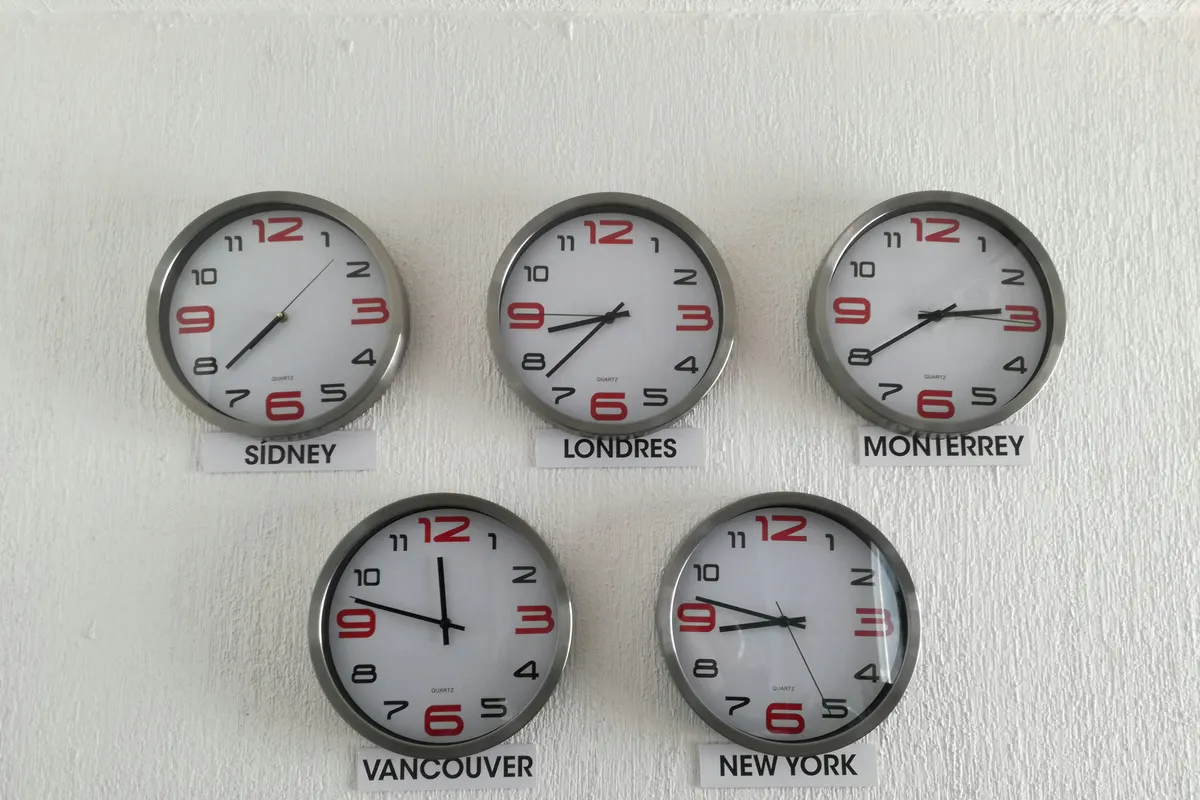
Timezone-spread teams don't break on communication; they break on ownership. When Lisbon goes to bed and Chicago wakes up, three questions have to have a written answer: which file is the master, who owns the render queue, and what changed while I was asleep. Every disaster I've seen on a distributed motion job traces back to one of those three going unanswered.
The handoff note
The person finishing their day writes a note in the tracker, not in chat, before closing their laptop. Mine has four fixed lines: CHANGED (what moved, by version), RENDERING (what's in the queue, on which machine), BLOCKED (what needs a decision, from whom), MASTER (the exact filename of the current master per shot). Three minutes. The person starting their day reads it before opening any project file.
Is a daily overlap call better? Sometimes. Warsaw and Los Angeles share one working hour a day, and spending it on status wastes the only hour a real conversation can happen in. Save the overlap for decisions.
Render queue ownership
A render farm, or even a shared render box, has exactly one owner at any moment, and that owner is named in the handoff note. Two people submitting from opposite sides of the planet will eventually render the same shot at different versions and both upload. I've seen a client approve the wrong one. Ownership transfers in the handoff note, not by assumption.
Who owns the master
Cloud sync is not version control. After Effects projects don't merge, and two people saving the same .aep to Dropbox from two continents get a conflicted copy at best and a silently clobbered file at worst. So each shot's project file has one owner at a time, and the tracker says who. When the animation handoff moves a shot from design to animation, the master moves with it, in a comment, with a version number. Anyone else works on a duplicate with their initials on it, and merging is a manual, deliberate act done by the owner.
Teams from software ask why we don't just use Git. Binary 200 MB project files with external footage references are a poor fit, Git LFS helps only with storage, and none of it merges. The design system adoption problem has the same shape: the tool that solves it for engineers doesn't survive contact with a different kind of file.
Where this fits in the wider production workflow
The collaboration stack is not the motion graphics production workflow; it's the plumbing that workflow runs through. Brief, styleframes, animatic, animation, comp, grade, mix and delivery are stages. The stack decides how each stage's output gets reviewed and how the approved thing gets to the next person.
Which tool to buy first? The review layer. A team with Frame.io and a shared Dropbox folder can ship. A team with Notion, Linear, Miro, Slack and no frame-accurate reviewer will ship late, and when motion becomes part of a product's design language and the review loop involves engineers as well as clients, the missing frame number costs even more.
The position: fewer tools, one owner per thing
Most remote motion teams have an ownership problem dressed up as a tooling problem. A sixth tool on a stack where nobody knows which file is the master makes the confusion faster, not smaller.
So here's where I land, and I expect some producers to disagree. A five-person motion team should run on three paid tools: one frame-accurate reviewer, one cloud store, and one tracker, with a free chat channel alongside. Everything else can live inside those three until the pain gets specific. What can't be deferred is the human layer: a written review protocol with a definition of approval, a naming convention the producer actually rejects files over, and a handoff note that names the master and the queue owner every single day.
The eleven-day logo sting had every tool it needed. It was missing a frame number and a person whose job it was to ask for one.