Most guides to Framer Motion are written by developers, for developers. This one is written for the designer who just watched their careful After Effects timing get flattened into a transition: all 0.3s and wants to know why the web version feels wrong. Framer Motion is the bridge, and understanding what it does well, and where it fights you, is the difference between motion that ships and motion that gets cut in the last sprint before launch.
First, a naming knot to untie. The library you have heard called Framer Motion now lives under the name Motion, maintained by Matt Perry. Same code lineage, new home at motion.dev. The React-specific build is the one people mean when they say Framer Motion, and it is imported as motion/react. Throughout this guide I use Framer Motion, because that is still what everyone types into a search box, but know that the docs you land on will say Motion.
TL;DR: Framer Motion (now Motion) earns its ~31KB bundle when your React motion is tied to state, presence, or layout, and it's overkill when it isn't. Animate transform and opacity, stagger with restraint, respect reduced motion, and profile on a real mid-range device. Simple hovers and fades still belong in plain CSS.
What Does Framer Motion Actually Do?
At its core the library gives you animatable versions of HTML and SVG elements. Instead of a plain <div>, you render a <motion.div>, and now you can hand it animate, initial, and exit props that describe states rather than steps. You say where an element should be, and the library figures out the in-between frames using either a spring or a tween. That declarative model is the whole pitch. You describe intent, not keyframes.

Three capabilities set it apart from plain CSS, and they are the reasons a designer's work survives the trip to code:
- Layout animations. When an element's position or size changes because the DOM changed, a
layoutprop makes it glide to its new spot instead of snapping. This is the effect that makes a filtered grid feel expensive and considered. - Exit animations. CSS cannot animate an element as it leaves the DOM, because once React unmounts it, it is gone.
AnimatePresenceholds the element long enough to play an exit, which is why modals and toasts feel finished rather than abrupt. - Gestures. Hover, tap, drag, and scroll-linked motion come built in, with sensible defaults that respect pointer and touch.
Is any single one of these impossible without the library? No. But stitching all three together by hand, correctly, across a real component tree is exactly the kind of work that gets deferred forever.
When Should You Reach for It, and When Not?
Here is the opinion most tutorials dodge: you should not animate everything with Framer Motion. A hover state, a loading spinner, a simple fade-in on scroll, those belong in CSS, where they cost nothing and run whether or not JavaScript has loaded. Adding a 31KB library to fade in a hero image is the kind of decision that quietly taxes your Core Web Vitals for no design payoff.
The three options sort out cleanly once you line them up:
| Option | Bundle (gzipped) | Layout animations | Exit animations | Best for |
|---|---|---|---|---|
| Framer Motion (motion/react) | ~31KB | Yes | Yes (AnimatePresence) | React UIs where motion tracks state, presence, or layout |
| Motion (framework-agnostic) | ~12KB | Manual | Manual | Vanilla JS, Vue, or Svelte projects that need JS-driven motion |
| Plain CSS | 0KB, no JS | No | No | Hovers, loaders, and simple reveals |
You should not animate everything with Framer Motion. Motion tied to state or presence is its job. The rest belongs in CSS.
Reach for Framer Motion when motion is tied to state or presence. A card that expands when selected. A list that reorders with items sliding into place. A dialog that scales up on open and shrinks on close. These are the cases where the DOM is changing and you need the animation to follow, and they are miserable to build in raw CSS. This decision is the same instinct behind a clean designer to developer handoff: hand off the intent, and let the right tool carry it.
Reach for Framer Motion when animation is tied to state or presence: a card expanding on selection, a list reordering with items sliding into place, or a dialog animating open and closed. Plain CSS still wins for hovers, loaders, and simple fades, since it costs nothing and needs no JavaScript at all.
If you are still choosing your animation stack at the library level, our breakdown of web animation with CSS versus GSAP covers where each earns its place, and Framer Motion sits alongside them as the React-native option rather than a replacement for either.

Which Traps Do Designers Hit First?
The gap between a smooth prototype and a janky production build almost always comes down to a few repeat offenders.
Animating the wrong properties. Transform and opacity animate on the compositor and stay buttery. Animate width, height, or top and you force layout on every frame, which is where the stutter you feel on a mid-range phone comes from. If a design calls for a box to grow, animate scale, not width, and accept the small visual differences that trade brings.
This is the one that goes wrong most often, and always in the same direction: the prototype animates a card's width because that is what the design description said, it looks perfect on the machine it was built on, and the stutter only shows up on the first phone anyone tests it on.
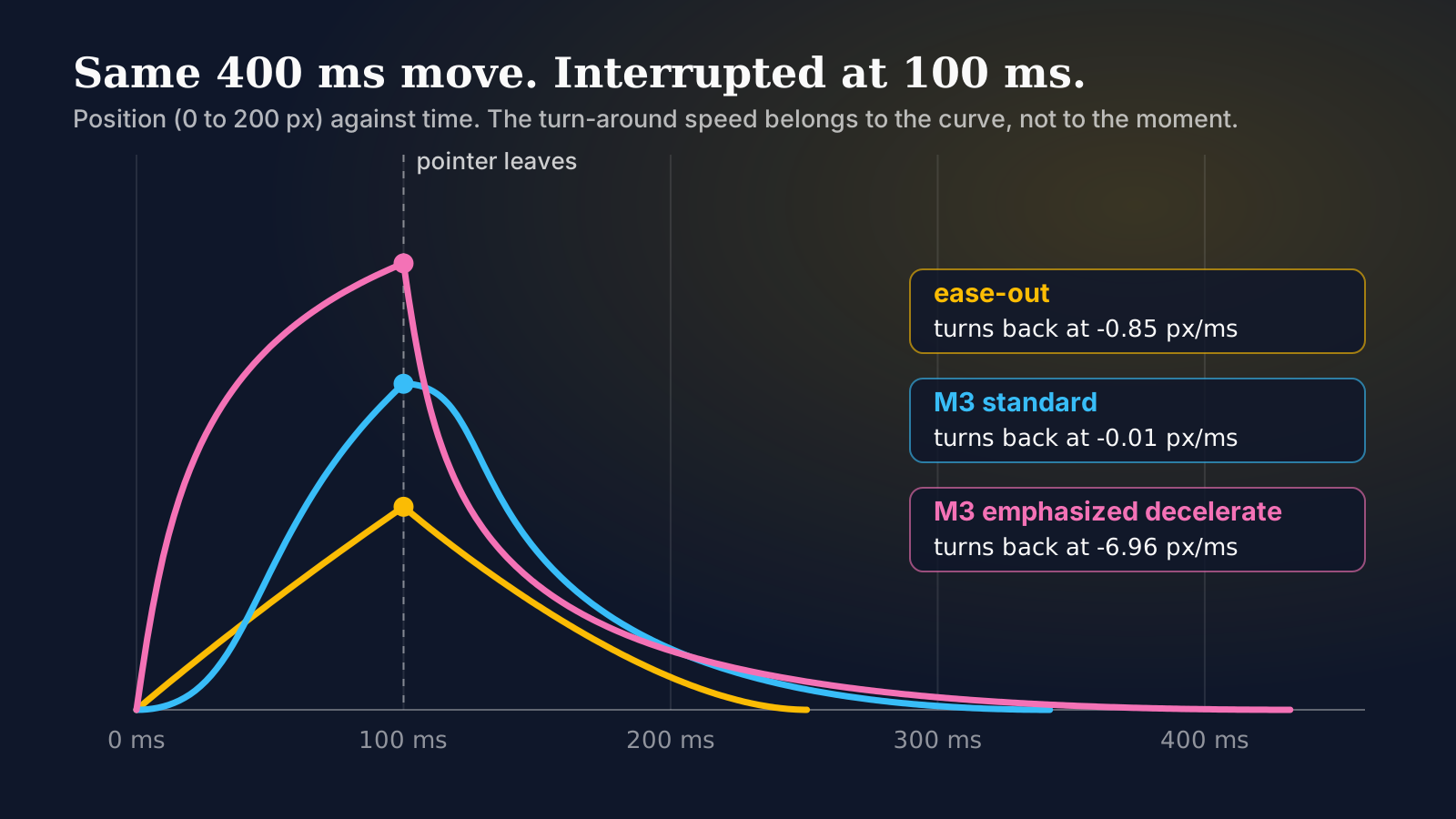
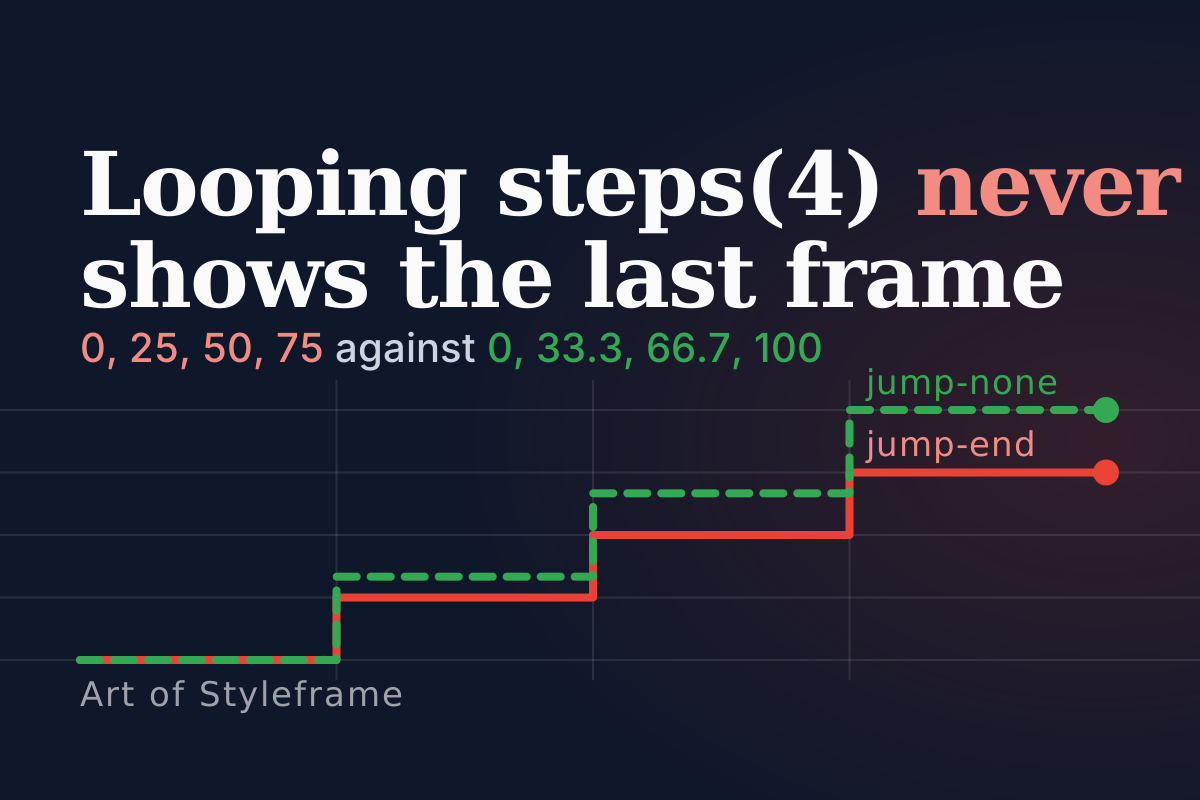
Springs with no discipline. Framer Motion's default spring feels great on one element and chaotic on forty. When a whole list animates at once, a stiff, fast spring reads as nervous. Motion designers have an advantage here: you already know that timing and stagger carry emotion. Bring that same restraint, stagger the children, and slow the spring down. If you're weighing the spring against a plain CSS curve, one widget under three easing curves shows what each can and can't do. And CSS has its own answer to stagger, so the Motion versus CSS stagger comparison is worth a look before you add the library for that alone.
Forgetting reduced motion. A meaningful share of users have vestibular sensitivities, and the platform gives them a switch: prefers-reduced-motion. Honoring it is not optional polish, it is accessibility. Wrap large movement so it collapses to a simple fade when the user has asked for less motion. It costs a few lines and it is the mark of someone who understands motion as craft rather than decoration.
How Does This Fit the Styleframe-to-Code Path?

For a motion designer moving into interface work, Framer Motion is often the first place your styleframe stops being a picture and starts being a thing that responds. The frame you designed, the one that captured the look before a single second of animation existed, becomes a component with initial and animate states. The choreography you storyboarded becomes AnimatePresence and staggered children. That translation is exactly the discipline we walk through in motion design for the web, and Framer Motion is the tool most React teams reach for to make it real.
None of this requires you to become an engineer. It asks you to understand the material, the same way a print designer learns how ink behaves on stock. Know what animates cheaply, know when state or presence is in play, and know when to leave the motion in CSS. Do that, and the version that ships will look like the version you designed, which is the only test that actually matters.
What's the Short Version?
Framer Motion earns its bundle when your motion is tied to state, presence, or layout, and it is overkill when it is not. Animate transform and opacity, stagger with the restraint you already bring to a timeline, respect reduced motion, and profile on a real device. Get those four things right and you have the closest thing the React ecosystem offers to designing motion instead of merely coding it. If the motion in question never needs to leave the design file, Figma Motion's native timeline now covers a lot of that ground without a line of code.