Your design system already exists. It's the components that render on production every day, and every design file claiming to describe them is a second-hand account. So why does the design tool get to be the source of truth?
Claude Design's own setup documentation quietly settles this. Among the accepted sources for a design system it lists "Codebases: If your design system lives in code (for example, a React component library), you can link or upload the repository." That one line reverses the direction of the entire handoff.
TL;DR: Point Claude Design at the repository rather than a design file, and the second component inventory stops existing. What you get is a design system generated from what actually ships. What you don't get is a token round-trip, and pretending otherwise is where teams get burned.
Every design file claiming to describe your components is a second-hand account of code that already shipped.
Why Does the Direction of the Arrow Matter So Much?
In a classic handoff there are two inventories. One lives in the design tool, one lives in the repo, and the work everyone calls "keeping design and code in sync" is the manual labour of dragging them toward each other. Nobody wins that. The repo ships weekly and the file gets updated when someone remembers.
Generate the design system from the repo and the second inventory becomes a derivative. It can still go stale, but it can't disagree at the moment it's created, which is a meaningfully different failure mode. Stale is a refresh. Disagreement is an argument about which one is right.
What Does Reversing the Arrow Change for the Designer?
Mostly it changes what the designer's artifact is. In a file-first handoff the Figma file is the system, and the shipped code is somebody's interpretation of it. The designer owns the inventory, and a good chunk of the job is keeping that inventory honest. Flip the arrow and the inventory belongs to the repo. What the designer produces is the output of the system, the artboards and mockups built on it, plus the judgment about whether the system extracted from the code is any good.
That's why the documented setup puts two review steps in the middle, checking the generated system and testing it with sample prompts. Those aren't ceremony. They're the designer's new control point, and I'd argue the most valuable one, because it's where someone with taste reads the whole inventory for the first time.
The less comfortable consequence is that a token change stops being a design-tool edit. The docs describe no route back from Claude Design into your code, so a new brand blue has to land in the repo as a commit, then reach the design system through a refresh. A designer who wants that power needs repo access or an engineer who answers quickly. Teams used to tokens flowing from Figma to code will feel the loss of the shortcut. I'd still take the trade. A change that has to pass through a pull request leaves a diff somebody can argue about.
One boundary worth stating. This only applies to teams whose system lives in code. The documentation lists prototypes, slide decks, and loose assets as other accepted sources, and a team starting from those gets a design system generated from design material, which is the old direction wearing a new interface.
What Do You Actually Feed It?
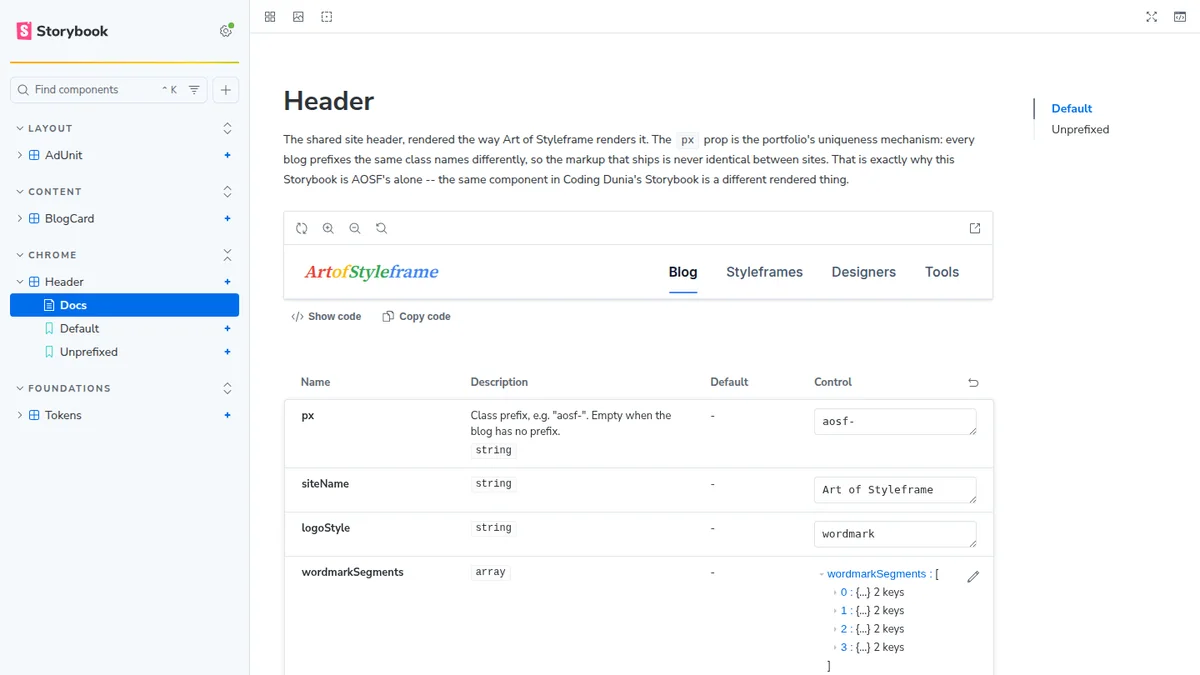
A Storybook, or more precisely the component sources a Storybook already documents. The documentation's own advice here is worth repeating because it's easy to skim past: include real examples, not just specs. Its illustration is a finished landing page, which tells Claude more about a brand's feel than a palette alone. Carrying that over to components is my inference, but it's a short step. A working component holds its real props and states. A description of it holds someone's summary.
For our own portfolio that meant a bundle of 23 components, six of them shared across every site and the rest local to this one. The token file mattered more than any single component. We pulled it out of the deployed page's :root rule, 16 color values and three font stacks, rather than out of the redesign kit that describes the brand. Today the two happen to agree on every color. That's not the point. The kit is a statement of intent, and only the built page proves what actually ships, so it's the only one a design system should be generated from.
/* tokens.css, lifted from the built site's :root */
:root {
  --c-brand: #2563eb;
  --c-accent-red: #ea4335;
  --c-accent-yellow: #fbbc04;
  --c-accent-green: #34a853;
  --c-accent-blue: #4285f4;
  --font-display: 'Source Serif 4 Variable', Georgia, serif;
}
The same file loads in .storybook/preview.ts, which sits inside this blog rather than in a shared package. A story and a design-system card now resolve every var() identically, because they're reading one file, not two copies of one intention.
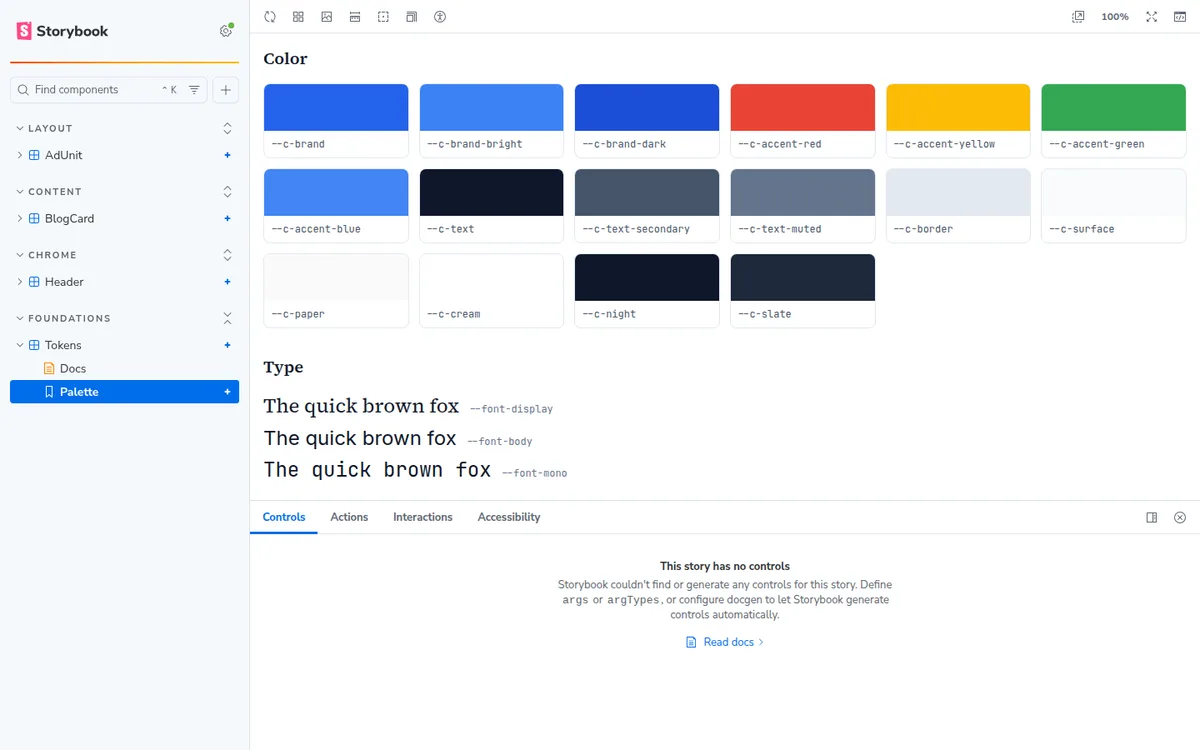
That last detail is why each site keeps its own Storybook and its own design system. Our sister property's token file is indigo on Outfit; ours is blue on Source Serif 4. One shared Storybook would have to pick a winner, and whichever it picked would be documenting a site the other team doesn't run.
What Does the Documented Setup Sequence Look Like?
Five steps, and the middle two are the ones people skip.
| Step | What it does |
|---|---|
| Create or switch organization | Picks which team the system belongs to |
| Upload assets | Link or upload the repository, prototypes, or brand files |
| Review generated system | Check the extracted palette, type, components, layout patterns |
| Test with prompts | Build throwaway projects and see whether they come out on-brand |
| Publish | Flip the toggle; the whole organization now designs on it |
Generating a UI kit takes minutes. Reviewing it properly takes an afternoon. I'd argue the review step is the entire value of the exercise, because it's the first time anyone looks at the full inventory of what your product is actually made of, and that audit is worth having even if you never publish the system.
Updates run through Remix, reached from organization settings by opening the design system and clicking Remix in the upper right. That's a chat interface, not a pipeline. Keep reading.
What Does the Review Step Actually Catch?
Blank cards, mostly, and they're more common than you'd guess.
Our first one was the affiliate disclosure, a shared component that prints a short FTC notice. Its text arrives as a prop, built at runtime by our affiliate library. The sync tool's validation pass rendered it with no props, got a near-empty box back, and flagged it RENDER_BLANK. Nothing was wrong with the component. Nothing had told the design system what a real disclosure says, so the fix wasn't in the component at all. It was a preview that passes the actual sentence.
The ad slot failed the other way. It renders a reserved, labelled box, and the live ad markup is injected globally at runtime rather than by the component, so its card only ever shows the placeholder. That part is honest. What it couldn't do was fit: in the default card grid it overflowed (GRID_OVERFLOW), and it only sat right once we switched it to a full-width column card.
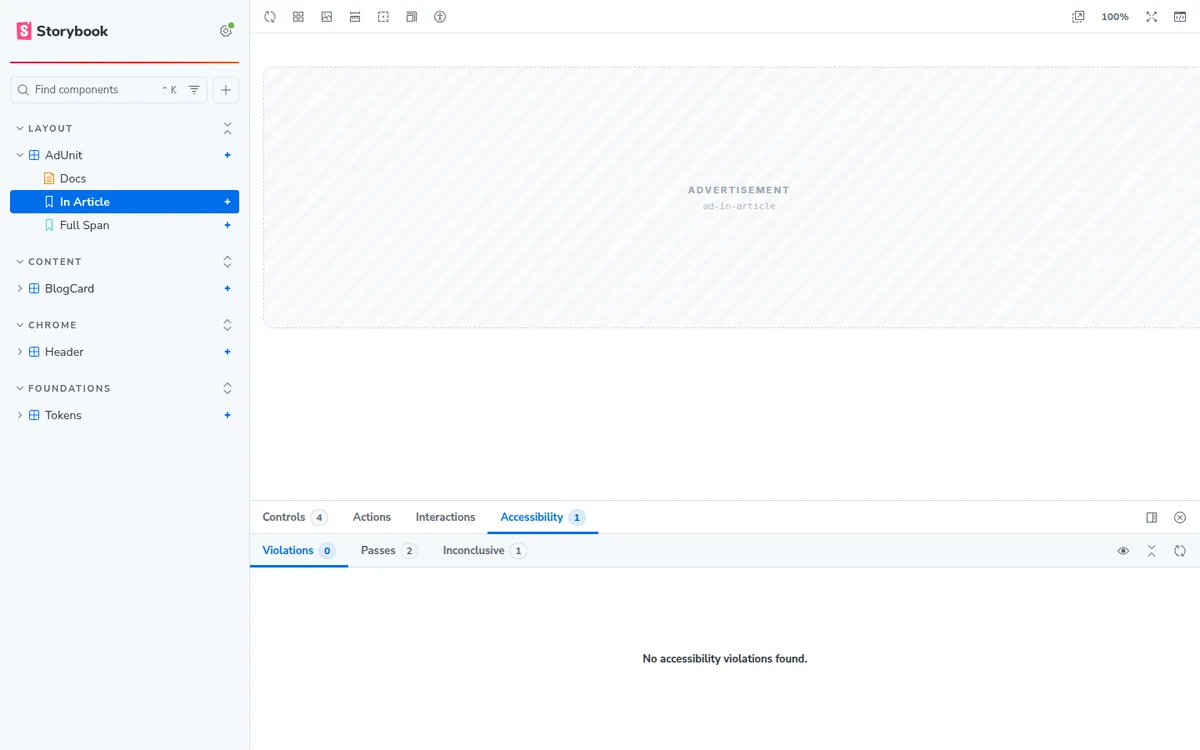
That's the review step earning its afternoon. A component with no sensible zero-state is fine inside an app where something always passes the prop. Inside a design system it's a card that teaches people the wrong thing.
What Does This Loop Still Not Do?
Four honest limits, and I'd rather you hear them here than discover them in week three.
There's no token round-trip. The design system reads tokens out of your code. It never writes them back. Anyone who read "sync" and pictured two-way editing has a one-way pipeline with a nice interface. I happen to think that's correct: the moment tokens are editable in two places you've rebuilt the two-inventory problem you were escaping. Still, go in with the right picture.
Refreshing is manual. The setup documentation describes one update path, Remix, which is a chat interface opened from the design system in organization settings. It describes no automatic or scheduled refresh. The other route it mentions is /design-sync in Claude Code, which reads your tokens and components, and that's still a command somebody has to remember to run. Drift is a discipline problem here, not a pipeline guarantee. Tie the refresh to prop-shape changes and token moves rather than to a calendar.
Nothing in the loop watches pixels. Storybook will run interaction tests and accessibility checks against your stories, and both are worth having, but neither notices that a card got 8px taller. That needs a visual regression layer bolted on separately, Chromatic or your own Playwright baselines.
Both products are early. Claude Design's support pages call it a beta on Pro, Max, Team, and Enterprise plans, and Enterprise owners have to switch design systems on first. Anthropic's April launch post used the label research preview, so expect the wording to keep moving. Storybook's AI layer is in preview too, and its docs warn that the API may change. Manifests come from the React frameworks plus the Angular and Vue 3 Vite frameworks, and Astro isn't on that list, so on this site the agent can only see our React islands.
Which Half of the Loop Are You Actually Missing?
This is the distinction I wish someone had drawn for me at the start, because it reframes the whole tooling question.
A design system generated from your repo is a channel from code to the person designing. It gives them cards, real components, the actual palette. A Storybook serving MCP manifests is a channel from code to the agent implementing. It gives an agent a prop list it can verify against instead of guess at.
Run only the first and you get a beautiful inventory while your coding agent keeps inventing props that don't exist. Run only the second and you get a correct agent and a designer working blind. They're two halves of one loop, and it's very easy to build one of them and call it done.
The mechanics of the second half, the addon, the manifests, and the three things that broke on the way, are in our sister piece on generating a Storybook with Claude Code. If you haven't stood up the Storybook itself yet, start with our Storybook design system setup guide, which covers the authoring rules that decide whether a component survives this trip at all. And for the older, file-first version of this problem, our designer developer handoff playbook is still the honest description of what you're leaving behind.
Which Part of This Loop Fixes Correctness?
Only one, and it's the least photogenic. Sort every step by a blunt question: what goes wrong if this step is missing?
Take away the generated design system, the Published toggle, the on-brand artboards, or the handoff to Claude Code, and the work gets slower. It might look less like your brand. It might need another review round. But nothing is wrong. A designer can still produce a sound mockup without the generated system, and a developer can still build it by hand. All of that is acceleration, and Anthropic sells it that way. One customer quote on the launch post is about a week of back-and-forth shrinking into a single conversation.
The Storybook half has a different failure shape. An agent that writes <Card tone="loud"> against a component with no tone prop produces code that reads fine and does nothing. It's easy to miss in review because it looks right. Storybook's sample agent instructions carry a line marked CRITICAL for exactly this: "Never hallucinate component properties!" Before using any property, the agent has to check through the MCP tools that it's documented.
Two details keep that honest. The line is sample text for your AGENTS.md, not something the tool enforces. And it only works because the manifests give the agent something to look up besides its memory of what such a component usually has. Storybook's best-practices page makes the dependency explicit, saying agents rely on how well you document each component's props, and recommending react-docgen-typescript for more accurate prop extraction.
Is this a quibble about emphasis? I don't think so. If the budget for fixing the workflow is one afternoon, spend it on making the prop documentation true, not on polishing the artboards. Wrong output costs a debugging session. Slow output costs a day.