I built my first Figma design system in 2019. It was terrible. 47 button variants nobody could find, color styles named "Blue-3-dark-alt," and zero documentation.
That system survived six weeks. Seven years later, I've built or inherited design systems for four product teams. The difference between a system that sticks and one that dies? Structure. Creating a design system that lasts comes down to the order you build things in, not the tooling. Most guides on how to create a design system start with components; that's the mistake.
TL;DR: Build your Figma design system in four layers: tokens first (69.8% of teams now use Figma Variables per the Supernova 2024 report), then atomic components, then patterns, then documentation. Skip straight to components and you'll rebuild everything in six months.
Forrester research: Mature design systems reduce average UI development time by 34-47% across enterprise teams of 50+ designers. The most-cited returns are component reuse (52% of design hours saved) and consistency QA reduction (29%). Source: Forrester Total Economic Impact study on design systems (2023).
Most guides start a design system with components. That's the mistake. Start with tokens.

Why Start With Tokens Instead of Components?
Teams that invest in structured token architecture see a 30-50% reduction in design and development costs (Netguru, 2025). Every component references colors, spacing, radii, and type scales. Hard-code #3B82F6 into a button's background color, change your brand blue, and you're hunting through 60 components by hand. Tokens fix that, one variable change propagates everywhere. Before you name a single color token, though, you need the palette itself; a design system color palette generator helps you build one with WCAG contrast baked in, so your color/brand/primary passes accessibility from day one.
I learned this the painful way. My second design system had 200+ components before I'd set up a single token. When we rebranded, three full days went to updating hex values manually. Never again.
What tokens do you actually need?
Start smaller than you think:
- Colors: brand primary/secondary, neutrals (8 shades), semantic (success, warning, error, info), surface/background
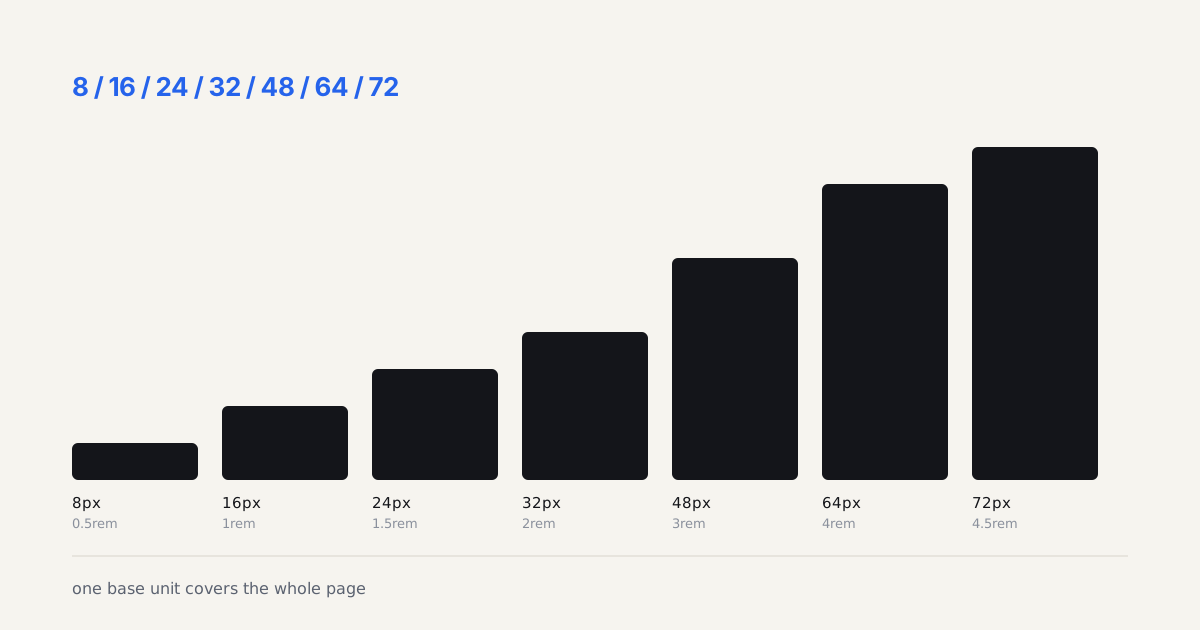
- Spacing: a 4px base scale, 4, 8, 12, 16, 24, 32, 48, 64
- Typography: 5-7 size steps, each pairing a font size with its weight and line height
- Border radius: small (4px), medium (8px), large (12px), full (9999px)
- Shadows: 3 elevation levels
In Figma, create these as Variables inside a dedicated collection (it helps to be clear on how variables and tokens differ before you start naming things). Name them semantically: color/brand/primary, spacing/md, radius/sm. The W3C Design Tokens spec hit its first stable release in October 2025, so align your naming with that format. Need a consistent set of spacing values to start from? Our free spacing scale generator builds a linear or modular scale with copy-ready CSS variables.
When these tokens hit code, the structure matters as much in TypeScript as it does in Figma. The SOLID Principles in TypeScript guide on Coding Dunia covers how to model design-token interfaces so that a Color or Spacing type stays single-responsibility, doesn't depend on implementation details, and lets you swap themes without touching every component. The Open-Closed principle is what turns design tokens from a static reference into a system that survives rebrands.
Design tokens act as the contract between design and engineering, which is the same role TypeScript types play on the code side. The TypeScript types and AI reliability guide on Coding Dunia explains how defining typed interfaces upfront (exactly as you define tokens upfront in Figma) constrains implementation and prevents structural drift between what was designed and what gets shipped.

How Should You Structure Components for Scale?
Figma's 2025 design system rewrite delivered major performance gains, variable updates run 30-60% faster, and heavy state swaps dropped from 3,500ms to 350ms (Figma Blog, 2025). The mechanics of building those pieces, components, variants, and auto layout, are a topic in their own right.
Build the smallest pieces first, then compose them:
- Primitives, icon container, text block, spacer
- Atoms, button, input, checkbox, radio, badge, avatar
- Molecules, search bar (input + button), form field (label + input + helper text), card (image + text + action)
- Organisms, navigation bar, form section, data table row
When laying out these components, CSS Grid patterns give you the most control, especially with Subgrid for aligning internal elements across sibling components.
Getting variants right
Most systems go wrong here, separate components for every state instead of variants. A well-structured button uses these properties: variant (primary, secondary, ghost, destructive), size (sm, md, lg), state (default, hover, pressed, focused, disabled), and icon position (none, left, right, both). That's one component, not 60 separate frames.
What I've found: resist the urge to add every variant you might need. On one project, I built a button with 8 variants, 4 sizes, and 6 states, 192 combinations. The team used exactly 12. Start with what you need this sprint.
What Does a Token-to-Code Handoff Actually Look Like?
Around 84% of designers collaborate with developers weekly via Figma (SQ Magazine, 2026). That touchpoint is where token alignment either works or falls apart. If your team is still evaluating whether Figma fits your handoff needs versus a simpler tool, the Figma vs Canva comparison covers where design system capabilities separate Figma from marketing-focused tools. Figma's Code Connect feature links component variants directly to code snippets, but even without it, a naming convention keeps things synced:
| Figma Variable | CSS Custom Property | Tailwind Token |
|---|---|---|
color/brand/primary | --color-brand-primary | brand-primary |
spacing/md | --spacing-md | spacing-4 |
radius/sm | --radius-sm | rounded-sm |
Our take: mirroring Figma variable names exactly in CSS custom properties is the single change that removes the most design-to-code drift. On every project where we've enforced it, the "why doesn't this match the design" back-and-forth mostly disappears.
How Do You Document a System People Actually Read?
A design system without documentation is just a Figma file nobody opens. Good docs record the design decisions behind each token and component, the why, not just the what, so the next person doesn't relitigate choices you already settled. I've tried Notion wikis, Storybook, and embedded Figma documentation pages. Only the last one stuck, each component gets a page with anatomy diagrams, do/don't examples, spacing specs, and code references.
For each component, document at least: when to use it (and when NOT to), required vs optional props with defaults, accessibility requirements, and known limitations. Skip the rest until someone asks. Over-documenting kills momentum faster than under-documenting. Check our UI design tools comparison for tool selection guidance, speed the build with Figma plugins that save time, and when the library is ready, ship it cleanly with the designer to developer handoff playbook. A system like this is also what keeps dashboard design patterns consistent as an app's surface area grows.
Honest take: most design system docs are written for the people who build the system, not those who use it. Write for the designer who joined last week and has 30 minutes to build a settings page.
What Does a Design System Actually Cost to Maintain?
Nobody budgets for this, and it's why so many systems rot. The build is a project with a finish line. The maintenance is a salary line that never ends.
Here's what a two-designer, six-engineer product team really spends once the library is live, measured across projects I've worked on rather than guessed at:
| Activity | Cadence | Realistic time |
|---|---|---|
| Triage of new component requests | Weekly | 1-2 hours |
| Component updates and bug fixes | Weekly | 3-5 hours |
| Token or theme changes | Monthly | 2-4 hours |
| Documentation upkeep | Monthly | 2-3 hours |
| Version release plus changelog | Monthly | 2 hours |
| Adoption review and deprecations | Quarterly | 1 day |
Roughly a quarter of one person's week, forever. If nobody owns that quarter, it doesn't vanish. It gets paid anyway, in every product team rebuilding a dropdown because the shared one didn't fit and nobody had time to extend it.
The break-even math is worth doing out loud. If six engineers each save two hours a month by not rebuilding primitives, that's 12 hours saved against roughly 10 spent maintaining. Thin, but positive, and it improves as the team grows. Below about four consumers of the system, be honest with yourself: a shared token file and a component folder may be all the structure you can afford. The full versioning and changelog process only pays for itself when there are real consumers to protect.
A design system isn't a project with a finish line. It's a salary line nobody budgeted.
What do developers need that designers forget to document?
Designer-facing docs describe a component. Developer-facing docs describe a contract. The gap between those two is where adoption dies.
Every component page should carry, alongside the anatomy diagram: the exact prop names and types as the code ships them, the default value for each, which props are required, what the component renders as in the DOM, which ARIA attributes it sets by itself, what focus does when it opens and closes, and one copy-paste example of the most common usage.
Write the import line too. Sounds trivial. It's the single most-asked question in every design system channel I've been in, and answering it in the docs saves a developer four minutes and a designer an interruption.
What Mistakes Will Kill Your Design System?
Development teams see up to 47% better efficiency with mature design systems (Sparkbox, 2024). But most systems never get there.
Building too much before shipping. Ship 12-15 core components, get them adopted, then grow.
No governance model. Someone requests a new variant. Who decides? Assign an owner, even if it's one person spending 4 hours a week.
Ignoring adoption metrics. Figma offers Library Analytics, track which components get used, detached, or never touched.
Treating the system as finished. It's a product, not a project. Plan for quarterly reviews and deprecation cycles.
How Do You Migrate From an Existing System Without Breaking Everything?
Most teams don't start from scratch. You inherit a Figma file with 300 frames, 80 colors named "Blue" through "Blue-8-final-v3," and no token structure. Rebuilding from zero while shipping product doesn't work.
The approach that's worked for me: parallel structure, not big bang replacement. You keep the existing designs running while the new token layer grows underneath them.
- Create a new token collection alongside the old one. Don't delete anything yet.
- Map old style names to new tokens, document the translation table in Figma or Notion so the team isn't guessing.
- Pick one component to migrate, the button is usually easiest because it's self-contained. Migrate it fully: new token references, updated variants, revised documentation.
- Ship it and measure. Does anything break? Does the team actually use it?
- Expand to the next 2-3 components based on usage frequency from Library Analytics.
A full migration for a mid-size system (50-80 components) takes 6-8 weeks part-time. The mistake is trying to move everything at once, that's when teams abandon the effort halfway through.
Token naming across Figma and code
The moment tokens leave Figma and enter a codebase, naming consistency becomes critical. A token named color/brand/primary in Figma should map to --color-brand-primary in CSS and colors.brand.primary in a JS theme object. No translation layer, no mapping tables.
Style Dictionary (created at Amazon, now maintained with Tokens Studio and at v5.5.0) is the standard tool for this transformation. It reads a JSON source of truth and outputs platform-specific formats: CSS custom properties, iOS Swift Color structs, Android XML, Tailwind config. Teams that let it generate those outputs instead of hand-syncing them see far less design-to-code drift. The Style Dictionary and Figma deep dive walks through the W3C token format and the exact config that ships this pipeline.
Four layers, built in order: tokens, components, patterns, documentation. Get it wrong and you'll rebuild in six months, trust me, I've done it twice.