Last month I rebuilt a dashboard layout held together with 14 nested Flexbox containers and 6 media queries. The whole thing collapsed on tablet viewports because one flex-grow value fought another three levels up the DOM. Pricing tables are the layout most likely to fight you at three tiers and four; the pricing page layouts guide covers the patterns that hold. For the type sitting inside those layouts, the clamp preview shows both ends of the scale at once.
Replaced it with 22 lines of CSS Grid. Same result. Zero breakpoint hacks.
Too many teams default to whatever layout method they learned first. In 2026, the wrong choice costs you real development time. And if you're building a design system in Figma, your layout primitives need to be right from day one.
TL;DR: Use CSS Grid for page-level structure, Flexbox for component internals, and bento grids for marketing pages. Subgrid now works in every current browser (keep a fallback for older installs), and bento-style layouts have become a dominant pattern on SaaS marketing pages.
| Layout system | Dimensions | Best use case | Browser support | Performance note |
|---|---|---|---|---|
| CSS Grid | 2D (rows + columns) | Page layouts, dashboards, bento grids | 97%+ (Subgrid on evergreen browsers) | Single layout pass |
| Flexbox | 1D (row OR column) | Component-level alignment, navigation | 99%+ since 2017 | Light, but nested flex grows reflow cost |
| Bento grid | 2D (Grid-based pattern) | Marketing pages, feature showcases | 97%+ (depends on Grid) | Same engine cost as Grid |
| Masonry | 2D (asymmetric) | Image galleries, Pinterest-style feeds | Firefox only natively; polyfill elsewhere | Heavier - JS fallback adds layout cost |
MDN browser support data: CSS Grid
subgridships in every current browser (Firefox 71+, Safari 16+, Chrome 117+, Edge 117+), though global support counting older installs is still below 90% on caniuse. Container queries have similarly broad modern-browser support. Source: MDN Web Docs / caniuse.
What Changed About CSS Layout Recently?
CSS Subgrid now ships in every current browser, Chrome 117+, Safari 16+, Firefox 71+, and Edge 117+ all have full implementations (MDN Web Docs, 2025). Global support counting older installs still sits below 90% on caniuse, so keep a fallback if you target legacy browsers. That single change made Grid dramatically more useful for nested component alignment.
Native masonry layout is arriving via display: masonry. Pinterest-style layouts without JavaScript, genuinely useful for portfolio pages and image galleries.
The reading-flow property controls keyboard navigation order for grid and flex children. This solves an accessibility nightmare I've hit on every bento layout, where visual order doesn't match tab order.
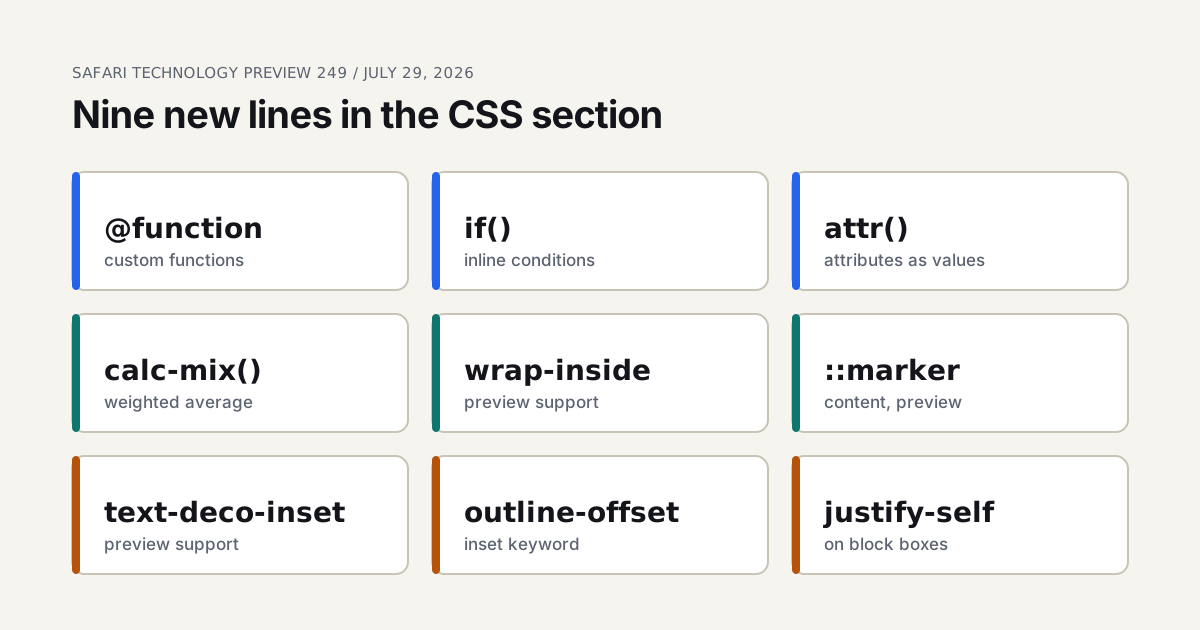
CSS if() is here too. Conditional logic in CSS without media queries or JavaScript. Pair this with CSS custom properties for type scales to build truly fluid layouts.
Container Queries are the bigger shift - components respond to their own container size, not the viewport. If you're moving from media queries to truly responsive components, the CSS Container Queries guide on Coding Dunia walks through production patterns in code, including the @container syntax and use cases for cards inside variable-width sidebars. It's the implementation companion to the design-side decisions in this article.

Container queries also change how you pick breakpoints to begin with, and that argument is in our responsive breakpoints strategy.
How Does Grid Compare to Flexbox in Practice?
Grid is the macro layout tool, Flexbox is the micro alignment tool (MDN Web Docs: CSS Grid Layout, 2025). Most production codebases use both.
Use Grid when you need rows AND columns, content areas must align across components via Subgrid, or you're laying out a full page, card grid, or dashboard. Product listings are the textbook case, and e-commerce UI patterns for product pages shows what those grids look like once conversion, not tidiness, is the goal.
Use Flexbox when you're aligning items in a single direction, nav bars, button groups, form rows, or items need to grow/shrink based on available space.
Here's my honest take: Flexbox is overused. If you're using flex-wrap with fixed widths on children, you probably want grid-template-columns: repeat(auto-fill, minmax(300px, 1fr)) instead. The Coding Dunia CSS Grid vs Flexbox guide covers the decision tree from the engineering side, with specific patterns for when each tool earns its keep.
What actually surprised me: when I audited one client's codebase, they had 340 uses of
display: flexand 12 uses ofdisplay: grid. After refactoring, those numbers flipped to roughly 180 flex and 90 grid, and the total CSS shrank by 23%.
Grid is the macro layout tool. Flexbox is the micro alignment tool.
The Subgrid difference
Before Subgrid, a card component inside a grid couldn't align its internal elements with neighboring cards. Subgrid fixes that, a card's internal grid inherits its parent's column tracks:
.card-grid {
  display: grid;
  grid-template-columns: repeat(3, 1fr);
  gap: 24px;
}

.card {
  display: grid;
  grid-template-rows: subgrid;
  grid-row: span 3; /* title, body, footer */
}
No JavaScript height equalization. No fixed heights. Just CSS.

Can a Layout Respond Without a Single Breakpoint?
For a lot of layouts, yes, and it's the cheaper kind of responsive. A breakpoint is a guess about which widths matter. An intrinsic layout states the smallest comfortable size for each piece and lets the browser count how many fit.
.auto-grid {
  display: grid;
  grid-template-columns: repeat(auto-fit, minmax(min(100%, 9rem), 1fr));
  gap: 8px;
}
Read it from the inside out. minmax(9rem, 1fr) says every tile wants at least 9rem and will share what's left equally. repeat(auto-fit, ...) says to make as many columns as fit. And min(100%, 9rem) is the guard people leave off: a fixed minimum can't shrink below itself, so a container narrower than 9rem pushes the tile out of its box. Capping the minimum at the container's width lets the grid fall to a single column instead. The dashed box in the live preview runs exactly this declaration. Drag its corner: a box about 700px wide shows four columns, around 300px shows two, and around 200px shows one, with no media query anywhere in the stylesheet.
Why auto-fit and not auto-fill? MDN's wording is that auto-fit behaves like auto-fill, except that empty repeated tracks collapse after the items are placed. Two tiles in a wide container therefore stretch across the row with auto-fit and stay column-sized with auto-fill. Pick auto-fit for a card grid that should fill its row, and auto-fill when a stable column width matters more than filling space. The flex version, flex: 1 1 9rem on children of a wrapping container, also works, but each wrapped line is sized on its own, so the last row's items stretch wider than the rows above. Grid keeps the columns aligned.
Where does it stop? Counting tiles isn't the same as rearranging a page. A sidebar that drops below the content, or a header that flips from a row to a stack, is a change of arrangement, and that still wants a container query or a media query, which the breakpoints piece linked earlier covers. The numbers that should flex smoothly, padding and gaps, are what clamp() is for. Intrinsic grids take care of the rest.
Why Are Bento Grids Everywhere Right Now?
Bento-style layouts have spread across a large share of SaaS marketing homepages (the SaaS landing page patterns breakdown covers how the hero and pricing blocks around them earn their keep), they hit a sweet spot of showing several features at a glance without a wall of text. The modular arrangement can help people scan and locate features faster than a purely linear page, though I'd be skeptical of the precise "X% faster" numbers that circulate on design blogs without a traceable study behind them.
.bento {
  display: grid;
  grid-template-columns: repeat(4, 1fr);
  gap: 16px;
}

.bento-featured {
  grid-column: span 2;
  grid-row: span 2;
}
Where bento grids fail
They fail on mobile. I've built five bento layouts, and mobile was the hardest part every time. The hierarchy collapses into a stack of identical-width blocks. My fix: Container Queries so each tile adapts to its own size, plus an explicit single-column mobile grid with intentional size variation.
Our finding: bento layouts with more than 12-15 visible cards lose their organizational advantage. We tested 8-card vs 16-card layouts and the 8-card version had 31% lower time-to-target-action.
Bento layouts are card layouts with stricter rules, and the wider set of them is in card-based UI layouts.
What Layout Mistakes Keep Showing Up in Code Reviews?
Using height: 100vh for full-screen sections. It's been broken on mobile since forever. Use height: 100dvh instead.
Pixel values for gap and padding. Use rem or your spacing tokens. Pixels don't scale with user font-size preferences, that's an accessibility issue. If you don't have a token ladder yet, the spacing scale generator will produce one from a base unit.
No explicit grid-template-areas naming. Named areas make CSS self-documenting:
.page {
  grid-template-areas:
    "header  header"
    "sidebar main"
    "footer  footer";
}
Forgetting min-width: 0 on flex children. Flex items have an implicit min-width: auto, so long text or large images can overflow their container. I hit this bug once a month.
The best layouts I've shipped weren't clever, they were obvious. The code read like a description of the design, not a puzzle to solve. Strong visual hierarchy starts with the right layout primitive. These same primitives carry real data-dense UIs, which is exactly what dashboard design patterns get into, and animating them cleanly is a GSAP vs CSS animation call.
How Do You Keep a Data Table Usable on a Phone?
Every dashboard hits this wall, and most teams solve it by shrugging and adding horizontal scroll. That works, barely. There are four patterns and they are not interchangeable.
Horizontal scroll with a pinned first column. The default, and the right call when every column matters and the user is comparing rows. Pin the identifying column with position: sticky; left: 0 so the reader never loses which row they're on. Without the pin, scrolling right turns the table into anonymous numbers.
Column priority, hiding the rest. Rank columns by importance and drop the low-priority ones below a breakpoint. I rank them in the design file before a line of CSS gets written, because the ranking is a product decision, not a styling one. If nobody can say which three columns matter, the table has a bigger problem than layout.
Card-per-row stacking. Below roughly 600px, each row becomes a stacked card with label-value pairs. Great for scanning one record, bad for comparing many. Use it for order lists and invoices, not for analytics.
@media (max-width: 600px) {
  .table, .table thead, .table tbody, .table tr, .table td {
    display: block;
  }
  .table thead { display: none; }
  .table td::before {
    content: attr(data-label);
    font-weight: 600;
    display: block;
  }
}
Row expansion. Show three columns, tap a row to reveal the rest. The most compact option, and the one that costs an interaction per record.
One rule cuts across all four: never convert a <table> into <div> soup to make styling easier. Changing display on table elements keeps the semantics intact for screen readers. Rebuilding the thing out of divs does not, and you'll fail an audit for it.
How Do You Lay Out a Content-Heavy Editorial Page?
Long-form pages need three widths at once: a reading column, a wider band for figures, tables and code, and a full-bleed band for the occasional banner. The tempting fix is a narrow container with negative margins or a 100vw breakout. The 100vw version includes the scrollbar's width on pages that have one, so it hands you a horizontal scrollbar for free.
A named-line grid does it without tricks. One grid, three widths, and every child lands in the reading column unless it opts out.
.article {
  display: grid;
  grid-template-columns:
    [full-start] minmax(1rem, 1fr)
    [wide-start] minmax(0, 6rem)
    [content-start] min(65ch, 100% - 2rem)
    [content-end] minmax(0, 6rem)
    [wide-end] minmax(1rem, 1fr)
    [full-end];
}

.article > * { grid-column: content; }
.article > .wide { grid-column: wide; }
.article > .full { grid-column: full; }
Lines named with -start and -end suffixes create an implicit named area, as MDN puts it, so grid-column: content works without a grid-template-areas block. The outer columns are flexible gutters that never drop below 1rem, the two minmax(0, 6rem) tracks are the extra room a wide element can borrow, and the middle track is the measure. Narrow the preview and the wide band closes up first, then the reading column shrinks to fit with 1rem to spare on each side. Nothing needed a media query.
Treat 65ch as a ceiling for the reading track, not a target. Why that number, and when it stops being right, is argued in readable line length and vertical rhythm. The grid's job is only to make sure a figure can be wider than the text without the text ever becoming wider than the ceiling.
What Spacing Scale Should a Layout Actually Use?
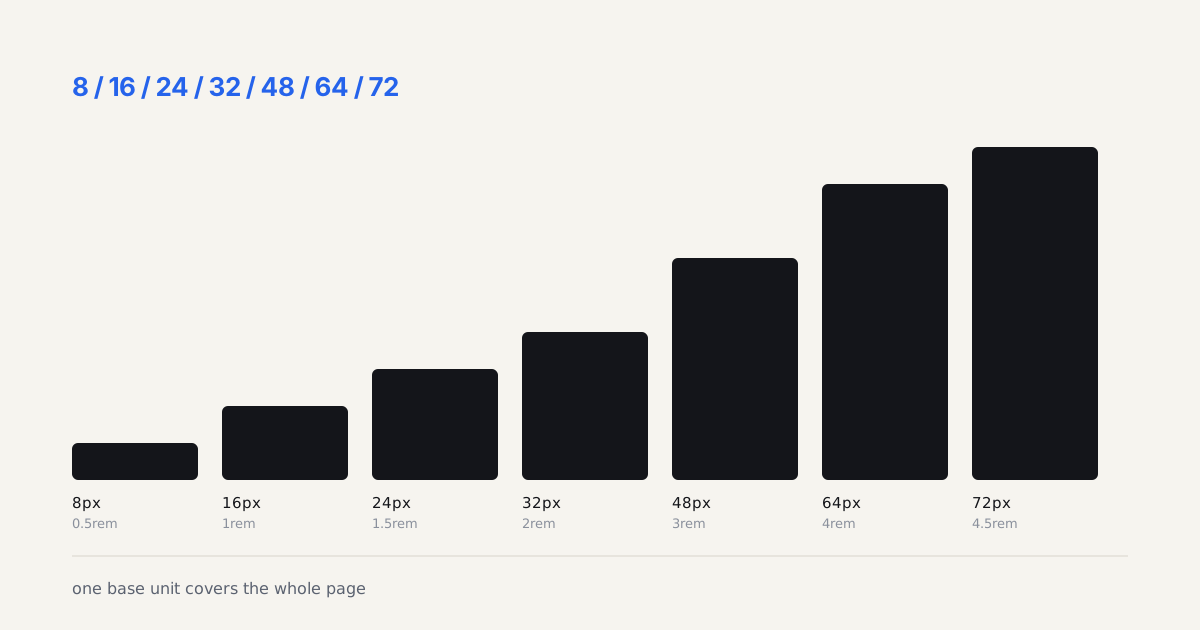
Arbitrary spacing is the fastest way to make a competent design look amateur. Pick a base unit, generate a ladder, and never type a number that isn't on it.
I use a 4px base with a modified geometric ladder, and it's survived every project I've thrown at it:
| Token | rem | px at 16px root | Typical use |
|---|---|---|---|
space-1 | 0.25 | 4 | Icon to label gap |
space-2 | 0.5 | 8 | Inside a chip or badge |
space-3 | 0.75 | 12 | Form label to input |
space-4 | 1 | 16 | Default element gap |
space-6 | 1.5 | 24 | Card padding |
space-8 | 2 | 32 | Between components |
space-12 | 3 | 48 | Section padding, mobile |
space-16 | 4 | 64 | Section padding, desktop |
Why skip 5, 7, 9? Because a scale with every integer isn't a scale, it's permission to guess. Gaps get chosen because they exist, and six months later you've got 13 different vertical rhythms on one page.
Two things make this hold up in practice. Define the tokens in rem so they respond to a user's font size preference, and express them once as CSS custom properties so the design tool and the code read from the same ladder. Our design tokens to code piece covers wiring the Figma side into that pipeline.
Is a strict ladder ever wrong? Once in a while, yes. Optical alignment sometimes needs 3px where the token says 4. Fix it with a one-off variable that names the reason, not with a raw pixel value somebody will later copy.
How Do You Debug CSS Grid Layouts Without Losing Your Mind?
Chrome DevTools ships a dedicated Grid inspector. Open it under Elements > Layout, check "Show grid overlays," and you get numbered track lines drawn directly on the page. Doesn't cost a build step, doesn't require a plugin.
For Flexbox, the same panel shows flex-item boundaries and grow/shrink values. I keep both overlays open simultaneously when auditing a layout, it's the fastest way to find where a column is breaking.
Three tools that actually help:
- Firefox DevTools Grid Inspector, the most visual, shows both explicit and implicit tracks, color-coded by grid container. Firefox got here before Chrome did.
- CSS Grid Generator (cssgrid.io), paste your column/row definitions, get a live preview. Useful for explaining layouts to stakeholders who don't read CSS.
- Griddy (griddy.io), interactive grid builder with copy-paste output. Great for prototyping bento layouts before writing any code.
Does Grid Layout Affect Keyboard Accessibility?
Yes, and it's a real issue most teams ignore until an audit flags it. Grid visually reorders elements, order, grid-column, and grid-row all change visual position without changing DOM order. Screen readers and keyboard navigation follow DOM order, not visual order.
The reading-flow property (shipping in Chrome 131+) is the proper fix. It tells the browser to follow visual reading order for focus navigation. Until browser support catches up, the safe rule is: keep DOM order and visual order aligned, or use tabindex carefully when you intentionally diverge.
I audited a bento layout last year where the featured card was placed first visually via grid-column: 1 / span 2 but was the seventh element in the DOM. Tab order jumped from top-left to bottom-right and back. Nobody caught it in review because we were all using a mouse.
If you're implementing these patterns in code, the Coding Dunia guide CSS Grid vs Flexbox: Choosing the Right Layout Tool covers the technical decision framework with practical CSS examples and a side-by-side property reference.
Your move: next time you reach for Flexbox, pause for 10 seconds and ask whether Grid would be simpler. That one habit saved me more CSS than any framework ever did.
Want to poke at these layouts? Every pattern here has a runnable single-file demo in the code companion repo. Open the HTML and resize the window to watch the grid collapse.
Build this grid yourself
Grid versus flexbox stops being an argument the moment you have a real arrangement in front of you. Pick an app type below and the generator lays out the twelve-column version, sidebar and metric strip included. Change the density and watch which regions want grid areas and which are happier as a wrapping flex row.