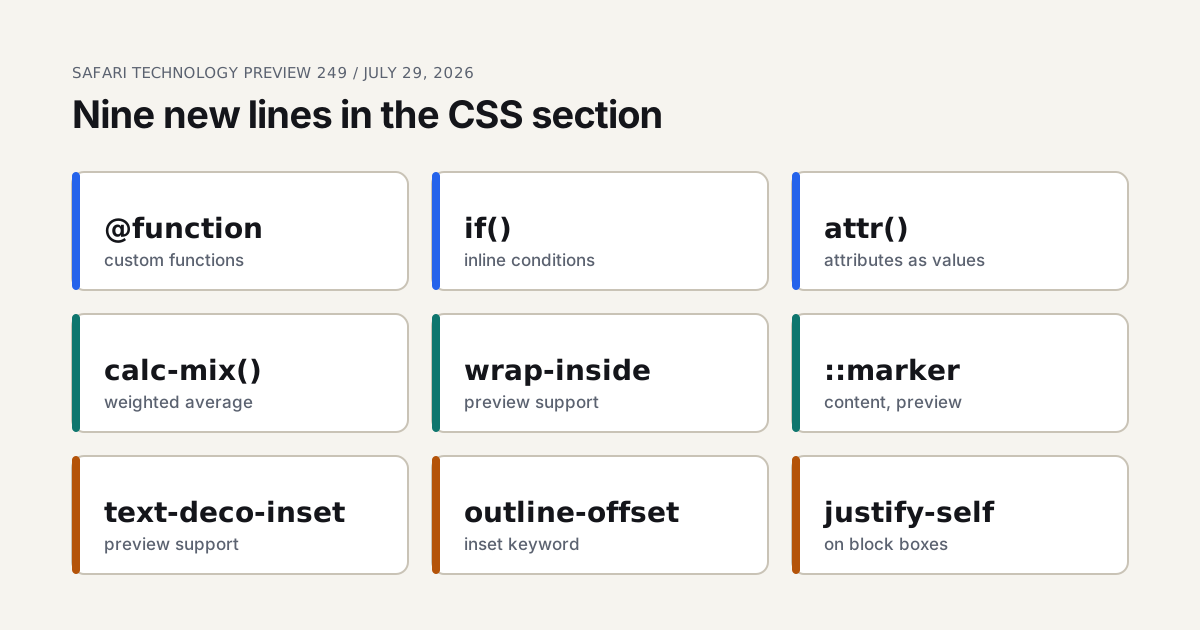
Apple shipped Safari Technology Preview 249 on July 29, 2026, built from WebKit changes 316531@main through 317820@main. Open the CSS section of its notes and the first sub-list, headed New Features, holds nine entries. That's a lot for one preview build. And unlike the three animation fixes I covered in the Technology Preview 249-253 animation roundup, these nine change what a stylesheet is able to say.
A word on method. I haven't run this build for this piece. Everything below comes from WebKit's release notes, the CSS Working Group's editor's drafts and MDN's compatibility data, and I name the source behind each claim. Where the sources disagree, I say so rather than pick a winner.
TL;DR: Safari Technology Preview 249 added
@function,if(),calc-mix(),attr()support,outline-offset: insetandjustify-selfon block boxes, plus preview support forwrap-inside,text-decoration-insetandcontenton::marker. WebKit's Safari 27.0 page lists none of them. Chrome already ships@function,if()and typedattr(), so the real story is Safari closing that gap (WebKit, 2026).
What the Nine Entries Say
Here's the list as WebKit wrote it, next to what MDN's compatibility data says about everyone else. The data is a snapshot from the day I read it, so check the live tables before you decide anything.
| Feature | What it is | Other engines, per MDN data |
|---|---|---|
@function | Your own CSS functions, with a result descriptor | Chrome 139, Firefox no, Safari preview |
if() | Conditions inside a declaration, using style(), media(), supports() | Chrome 137, Firefox no, Safari not yet listed as shipping |
attr() | Reads an HTML attribute into any property, with types and fallbacks | Typed form: Chrome 133, Firefox 155, Safari preview |
calc-mix() | Weighted average of numbers and lengths | No MDN entry found; the draft is dated September 4, 2026 |
outline-offset: inset | An inset value for the outline offset | No keyword in the css-ui-4 draft I read |
justify-self on block boxes | Aligns a block-level box in its containing block | Chrome 130, Firefox no, Safari no |
wrap-inside | Keeps a box from breaking across lines | Safari preview only |
text-decoration-inset | Trims or extends the ends of underlines | Firefox 146, Safari preview |
content on ::marker | Custom list markers through content | MDN says Safari's ::marker was limited to color and font-size |
The live preview on this page runs three of them, the ones a reader can watch in a browser that already has them. Notice what it leaves out: calc-mix(), wrap-inside and the rest have no shipping engine I could point you at, so putting them in a demo would only show you a fallback. One oddity in the if() row too. WebKit's notes list it, yet MDN's data still showed Safari as unsupported when I read it, so I'd assume the table lags the notes rather than the other way round.
Then there's the "preview" label. The notes tag three entries as "preview support" and never say what the tag means. MDN uses the same word for Safari on those properties.
So which of the nine is news, and which is catch-up? Count it. Four are Safari matching Chrome (@function, if(), typed attr() and justify-self on blocks). One, text-decoration-inset, follows Firefox. And wrap-inside has no other browser listed at all. That one is the outlier.
@function: Your Own Functions in CSS
The at-rule takes a dashed name, optional typed parameters with defaults, an optional return type, and a result descriptor that holds the value. MDN's syntax page gives this shape, and I've written two functions in it below.
@function --tint(--c <color>, --a <number>: 0.16) returns <color> {
  result: oklch(from var(--c) l c h / var(--a));
}

@function --step(--n <integer>) returns <length> {
  result: calc(var(--n) * 6px);
}
The first mirrors the example on MDN's @function page. The second is my own spacing helper, assembled from that syntax and not run in any browser. You call either one with the dashed name, like --step(12), and if an argument contains commas you wrap it in curly braces, per MDN's page.

Why should a designer care about a function? Because design tokens are arithmetic wearing a costume. A spacing scale is one number times a multiplier. A tinted surface is one brand color with an alpha. Today that arithmetic lives in a build step, a Sass mixin or a hand-copied calc(), and each of those puts the rule somewhere the browser can't see. A CSS function moves the rule into the stylesheet, where DevTools can inspect it and a media query can change its inputs.
I'd rank @function as the most consequential line in this whole release. That's an opinion, and you can disagree with it, but no other entry on the list lets a team delete a tool from its pipeline.
The catch is availability. MDN marks it experimental and not Baseline, with Chrome the only engine shipping it, and WebKit's Safari 27.0 page doesn't mention it at all.
if() and attr(): Logic and Data Inside the Declaration
if() puts a condition inline. MDN documents three test types: style() for custom properties, media() for media queries and supports() for feature queries, with an else branch that always evaluates true. The catch is that style() only reads custom properties on the same element, not regular ones.
.tile {
  width: 60px;
  width: attr(data-size px, 60px);
  height: 72px;
  height: --step(12);
  border-radius: 8px;
  border-radius: if(style(--round: yes): 999px; else: 8px);
}
Every new declaration in that block has a plain one above it. That's not decoration. MDN's own advice for if() is to provide a static fallback, and the mechanism is ordinary CSS: a browser that can't parse the new line drops it and keeps the old one.
A fallback line above every new declaration is the whole adoption strategy, and it costs you one line per property.
The attr() entry is the vaguest of the nine. The note says only "attr() function support." Old attr() worked in content and nowhere else. The current form, per MDN, works in any property, takes an optional type through type() or a unit keyword, and takes a fallback: attr(data-size px, 60px) reads the attribute as pixels or uses 60px. <url> is barred as a type for security reasons. MDN's compatibility data lists Safari's type() support as preview, which fits this release, but that's my inference; WebKit doesn't say which part it added.
Feature detection has an official shape. MDN gives @supports (x: attr(x type(*))) for the modern form, which is worth writing before you depend on it. What would you rather learn from a bug report: that a tile is the wrong size, or that Safari silently ignored a line?
calc-mix(): A Weighted Average of Plain Numbers
The entry is one line, "calc-mix() support", and the definition sits in the CSS Values and Units Level 5 editor's draft dated September 4, 2026. Its grammar is calc-mix( [ <calc-sum> <percentage [0,100]>? ]# ). Each argument is a value with an optional weight, the weights are normalized, and the result is the weighted average. The arguments have to share one type, numbers or lengths or percentages, or the function is invalid.
That makes it the numeric cousin of color-mix(). Take calc-mix(12px 25%, 40px 75%). By the draft's rule that's 0.25 times 12 plus 0.75 times 40, which is 33px. I did that sum by hand from the spec text, not in a browser.
Where would it earn its keep? My read is fluid spacing, where you want a value that sits some percentage of the way between a compact size and a roomy one, and where the percentage comes from a custom property a container or a breakpoint sets. That's a reading of the grammar, not something WebKit claims. Today the closest tool you have is clamp(), and the clamp preview shows where that curve flattens.
I'd hold off building on it. It's a one-line note, the draft has an editor's status, and I found no MDN compatibility entry to confirm any other engine. Interesting and not yet usable are different things.
Text, Lists and Box Alignment: The Small Five
The remaining five are less flashy and, for a page that's mostly words, arguably more useful.
wrap-inside and text-decoration-inset
wrap-inside takes avoid or auto, starts at auto, applies to block containers and doesn't inherit, according to the CSS Text Level 4 draft of August 14, 2026. avoid asks the engine not to insert soft wraps inside the box. The same draft section has a footer example, though the excerpt I could read didn't include its code, so I won't paraphrase it. It's separate from text-wrap, which the draft defines as a shorthand for text-wrap-mode and text-wrap-style.
text-decoration-inset moves the endpoints of an underline. The value is one or two length-percentages or auto, the initial value is 0, positive numbers trim and negative numbers extend, and auto lets the browser separate two identical underlined neighbors so they don't read as one line. The August 17, 2026 draft lists it as animatable by computed value. So an underline that grows on hover by animating its inset is possible on paper, though nothing from WebKit says so.
content on ::marker, outline-offset and justify-self

The CSS Lists draft says a content value on ::marker wins over list-style-image and list-style-type, and it gives li::marker { content: "(" counter(list-item, lower-roman) ")"; } as its example, which yields (i), (ii), (iii). MDN's compatibility data says Safari's ::marker support was limited to color and font-size. WebKit's line is a step past that limit, labeled preview.
outline-offset: inset surprised me. The css-ui-4 draft I read defines outline-offset as a length and nothing else, and I found no inset keyword in it. Either the keyword lives in a newer text than the one I could fetch, or the note is loosely worded. I won't describe behavior I can't source.
And justify-self on block-level boxes. MDN says that in block layout it aligns an item inside its containing block on the inline axis, and its compatibility data shows Chrome 130 with Safari and Firefox unsupported. If Safari ships it, the old margin-inline: auto habit gets a rival. Whether it's a better one is a taste question.
What Else Is in the Notes
The CSS list isn't the whole release, and some of the rest matters more to a layout person than a shiny function does.
- Animations: three fixes to
animation-timelinematching and toplay()on finite scroll timelines, covered in the roundup I linked at the top. - Grid: fixes to minimum content contribution, overflowing item painting, track sizing with flexible spans, stretch alignment and stale item block sizes.
- Rendering details:
clip-patharc drawing,box-shadowunder page zoom, and::highlight()and::target-textnow honoringtext-underline-offset. - View transitions: a
view-transition-nameset dynamically now creates a stacking context. - Outside CSS:
Temporal,popover=hint, close watchers with aclosedbyattribute ondialog, and WebGPU subgroups.
For what actually reached users, WebKit's Safari 27.0 feature page is the source. It lists stretch, alpha(), multi-color color-mix() and a :heading pseudo-class, and I've broken it down in what shipped in Safari 27 stable and, before that, the Safari 27 beta. For the unglamorous end of the release train, Safari 26.6 is a bug fix release designers should read. And if you want another Technology Preview headline, build 251 and CSS random() covers the stagger side.
Should You Write Any of This Today?
Split the list in two. @function, if() and typed attr() are shipping in Chrome, so with a plain line above each you can adopt them now and let Safari fall back. Everything else, calc-mix(), wrap-inside, text-decoration-inset, the marker content and the outline keyword, waits for a stable release, because a syntax that lives in one preview build can change before it gets there.
Is that too cautious? Maybe. But a fallback line is cheap and a layout that breaks in a browser you didn't test isn't. If you want to prototype the spacing side, the scale generator above and the live CSS preview near the top both let you break things safely, and I'd start there instead of on a production stylesheet.
I've only read build 249. Later builds may have moved things, and I haven't checked them against this list.
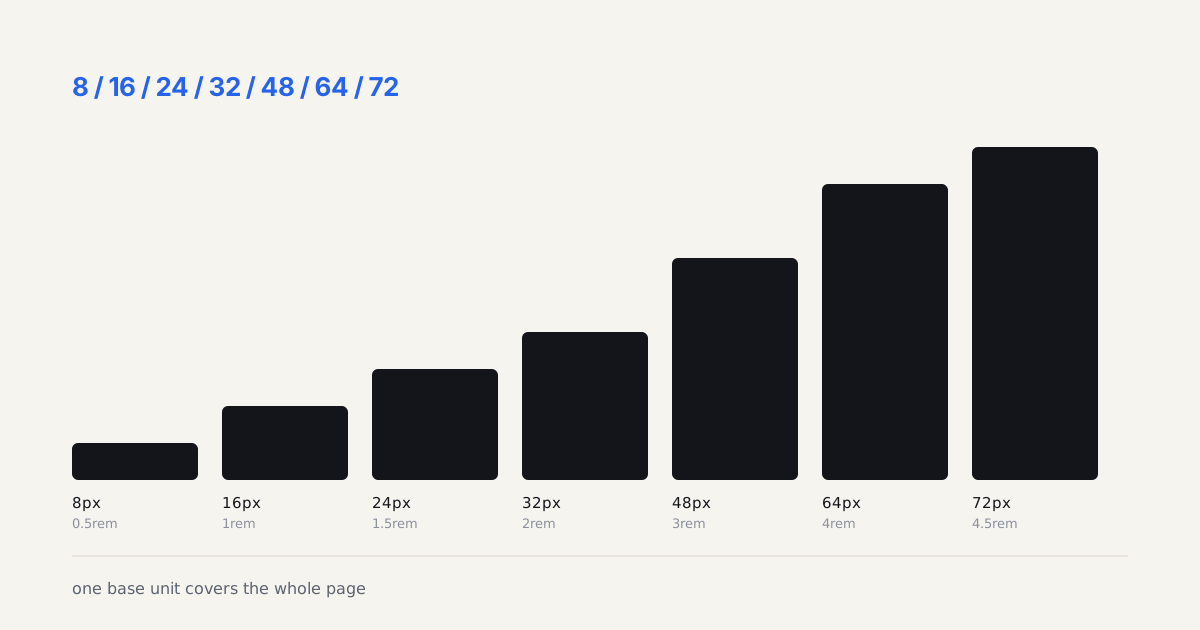
Build the scale the page runs on
A function like --step() takes a base unit and a multiplier, which is exactly what this generator asks for. Set the base below and read the token list it writes; that list is what a custom function would compute on the fly instead of a stylesheet repeating it.